

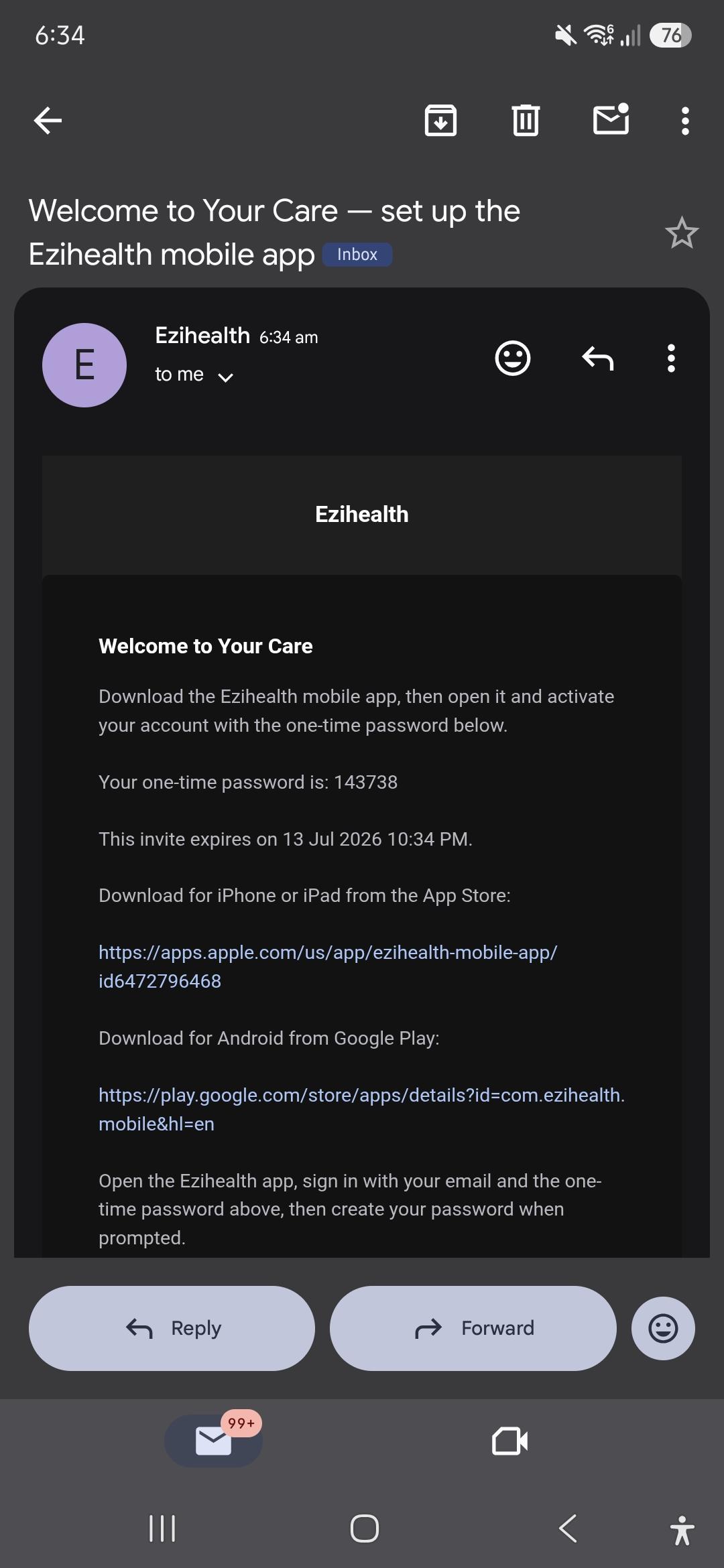
You will receive a setup invitation in your email. Follow the steps below to setup your ezihealth login.
Click on the link to download the app in Google Play or App Store.
Once downloaded, input your email and the One Time Password you received in the email. Click Sign In
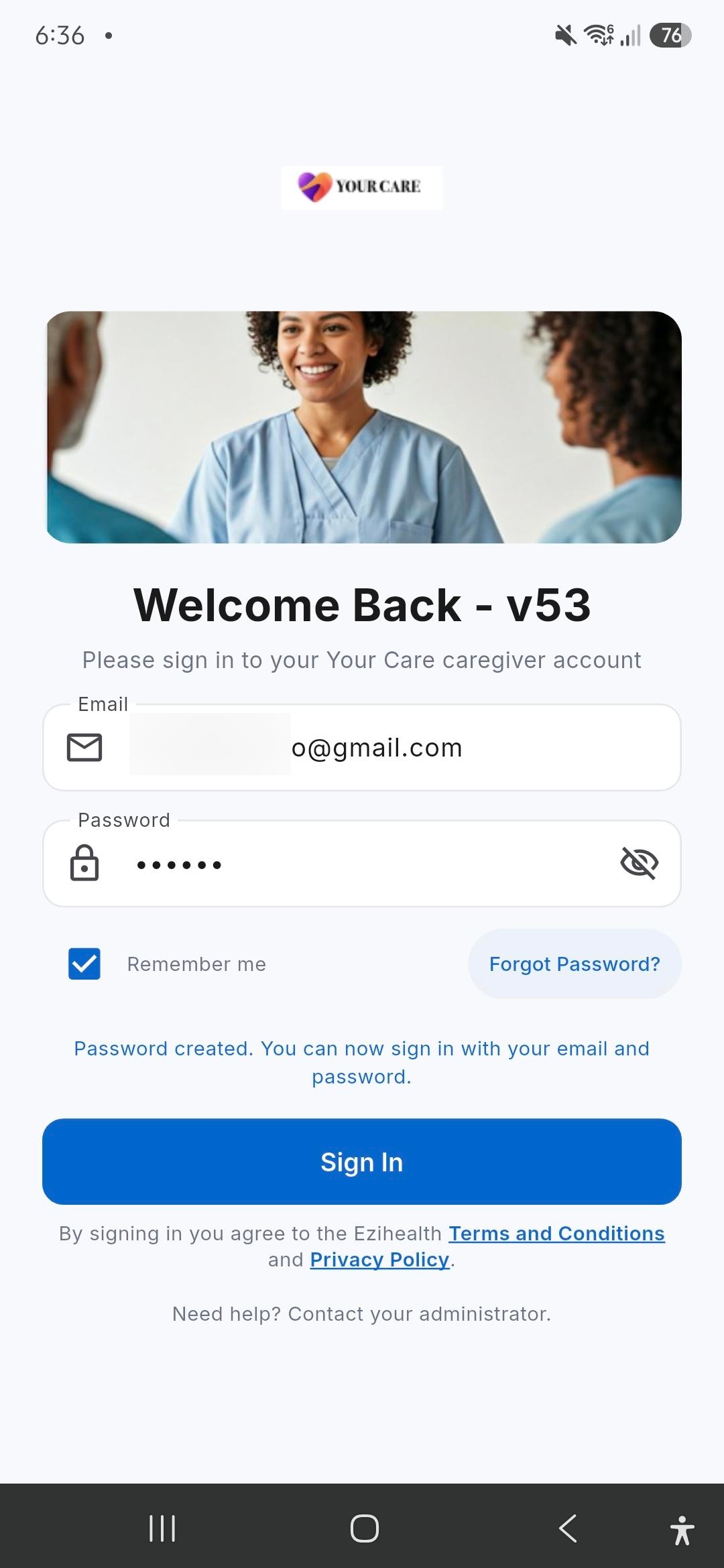
You will be asked to set your password. Click Save Password.
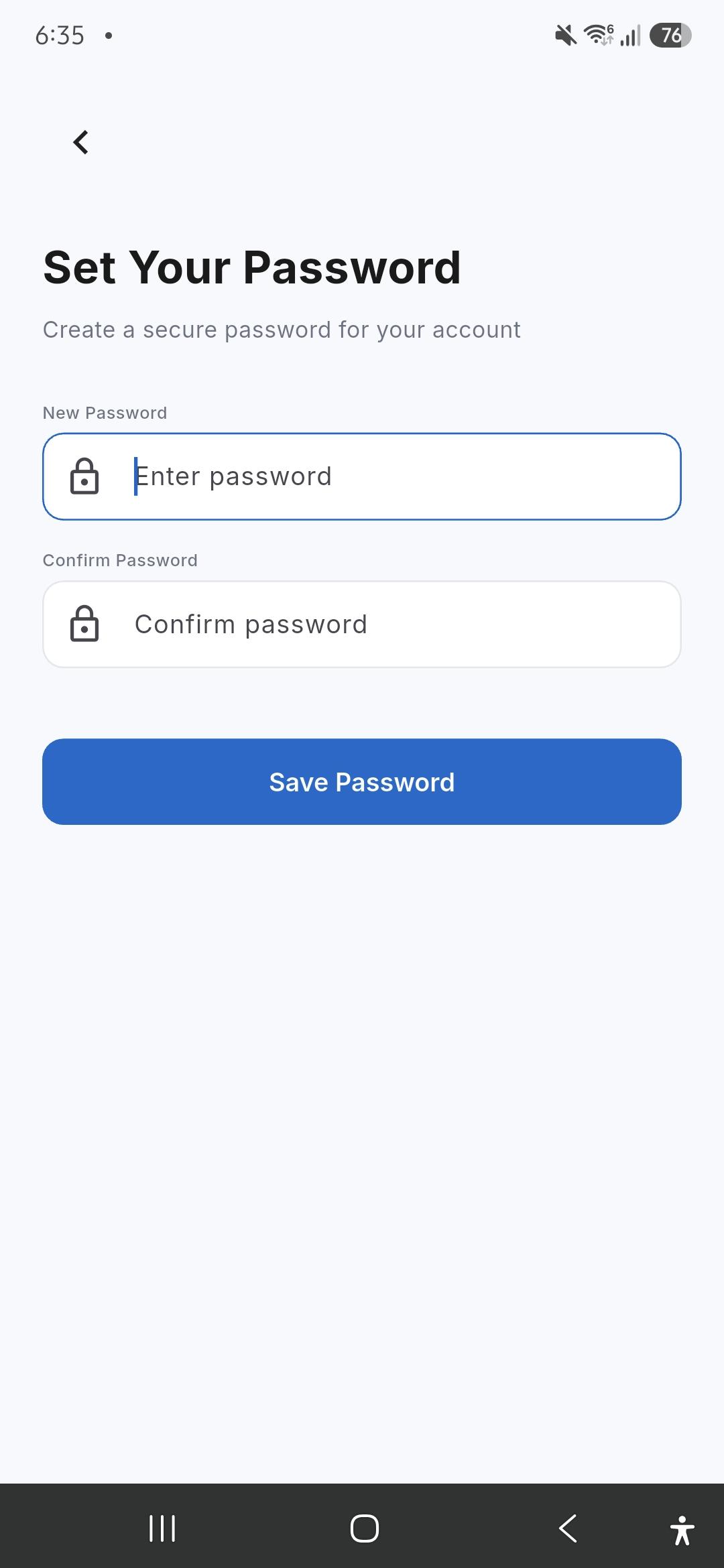
You may now login to your Ezihealth Mobile app.