

Logo

Eziplan Care Management

Need help with Eziplan Rostering?

Eziplan Mobile App Home Screen

Eziplan Mobile App

Eziplan Mobile App Home Screen

Overview of the Eziplan Mobile App Home Screen

Last updated on 09 Dec, 2025

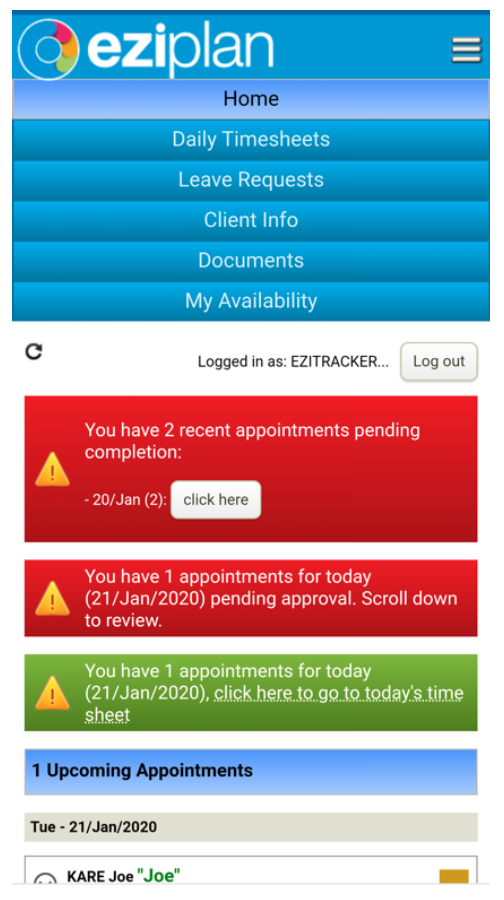
Once logged in, the screen below is the view you should have.
Image

The menu options can be shrunk down using the three lines in the top right corner. Menu items are

  • Daily Timesheets

  • Leave Requests

  • Client Info

  • Documents

  • My Availability.

Alerts and notifications will display if anything requires your attention.

Did you find this article helpful?
Previous

My Availability

Next