

When a client exits the system, you need to END their package schedule but leave their 'date reconciled' blank until the funds are returned to Medicare or transferred to another provider.
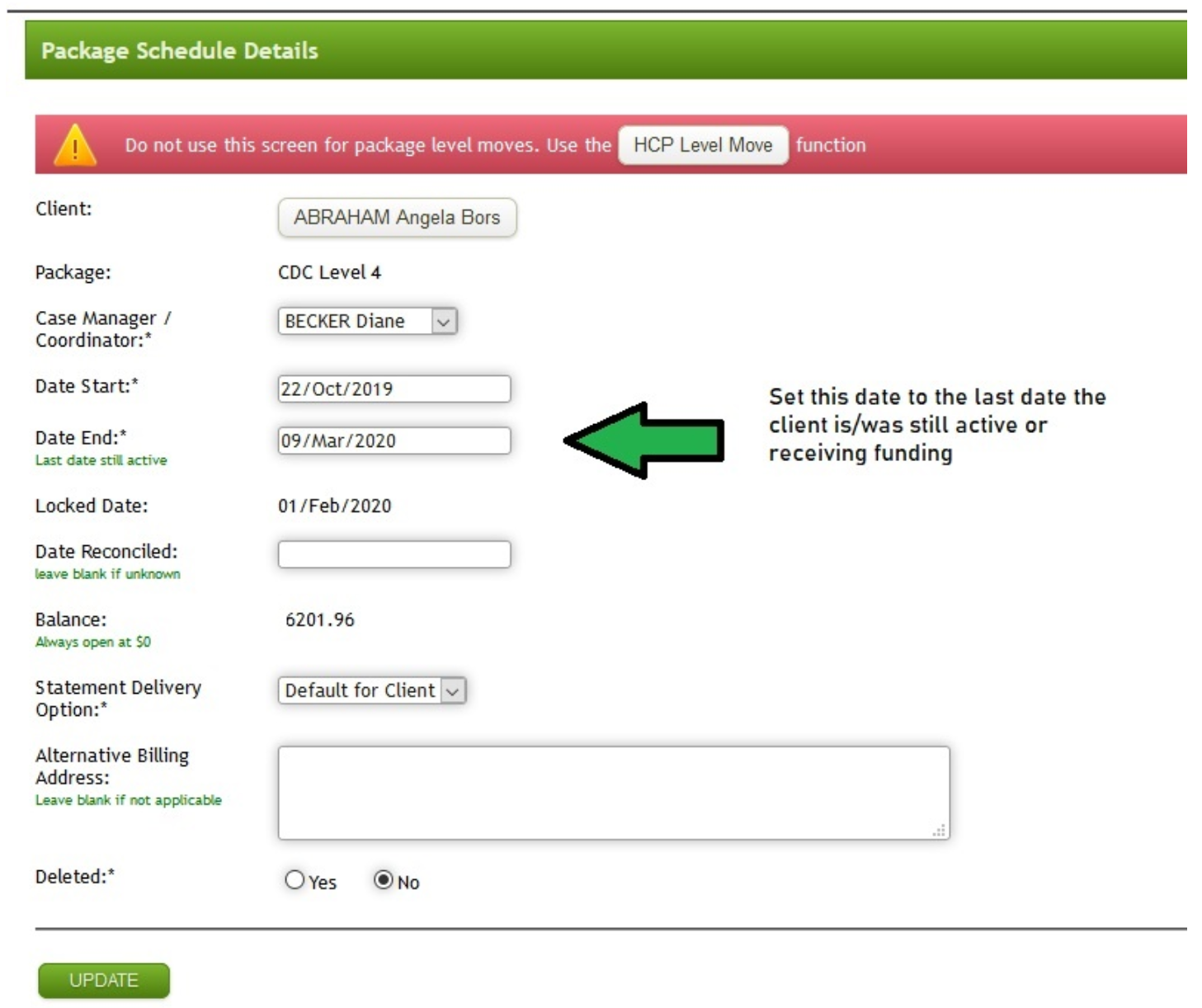
Step 1 - Set the package schedule End Date
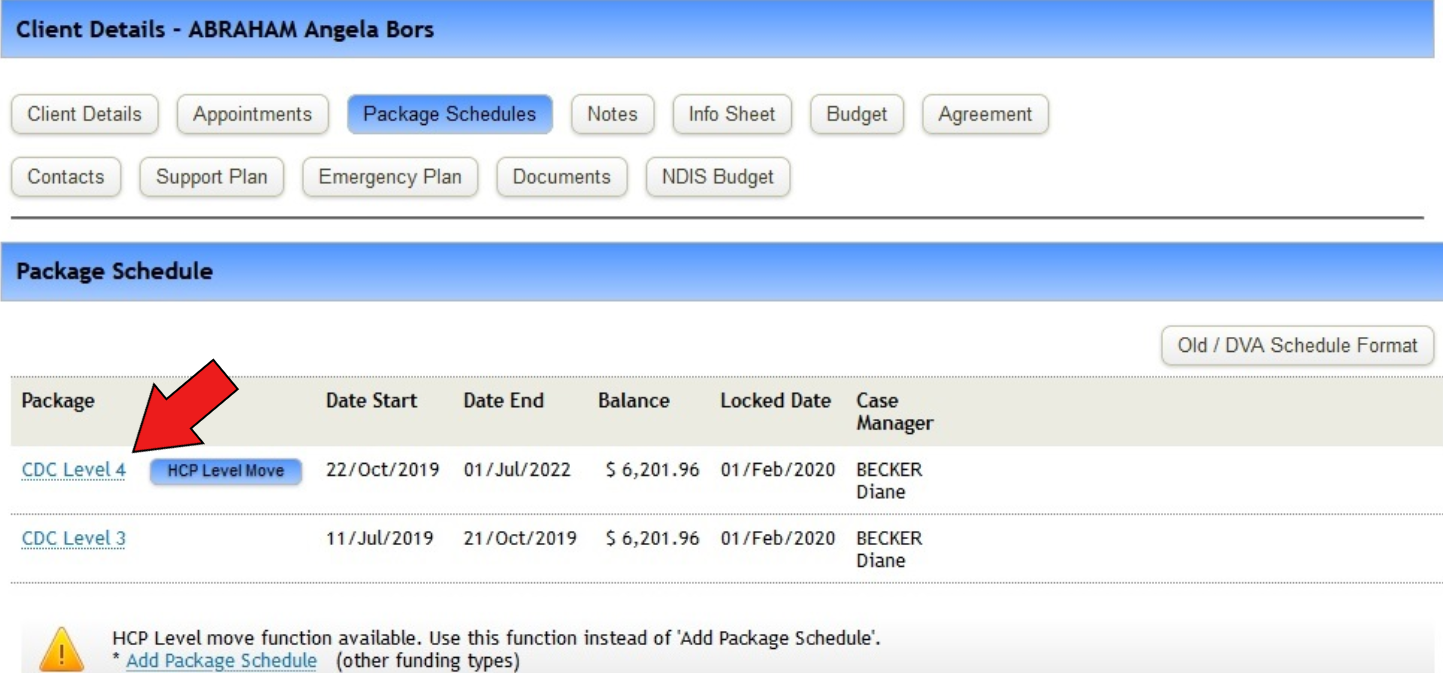
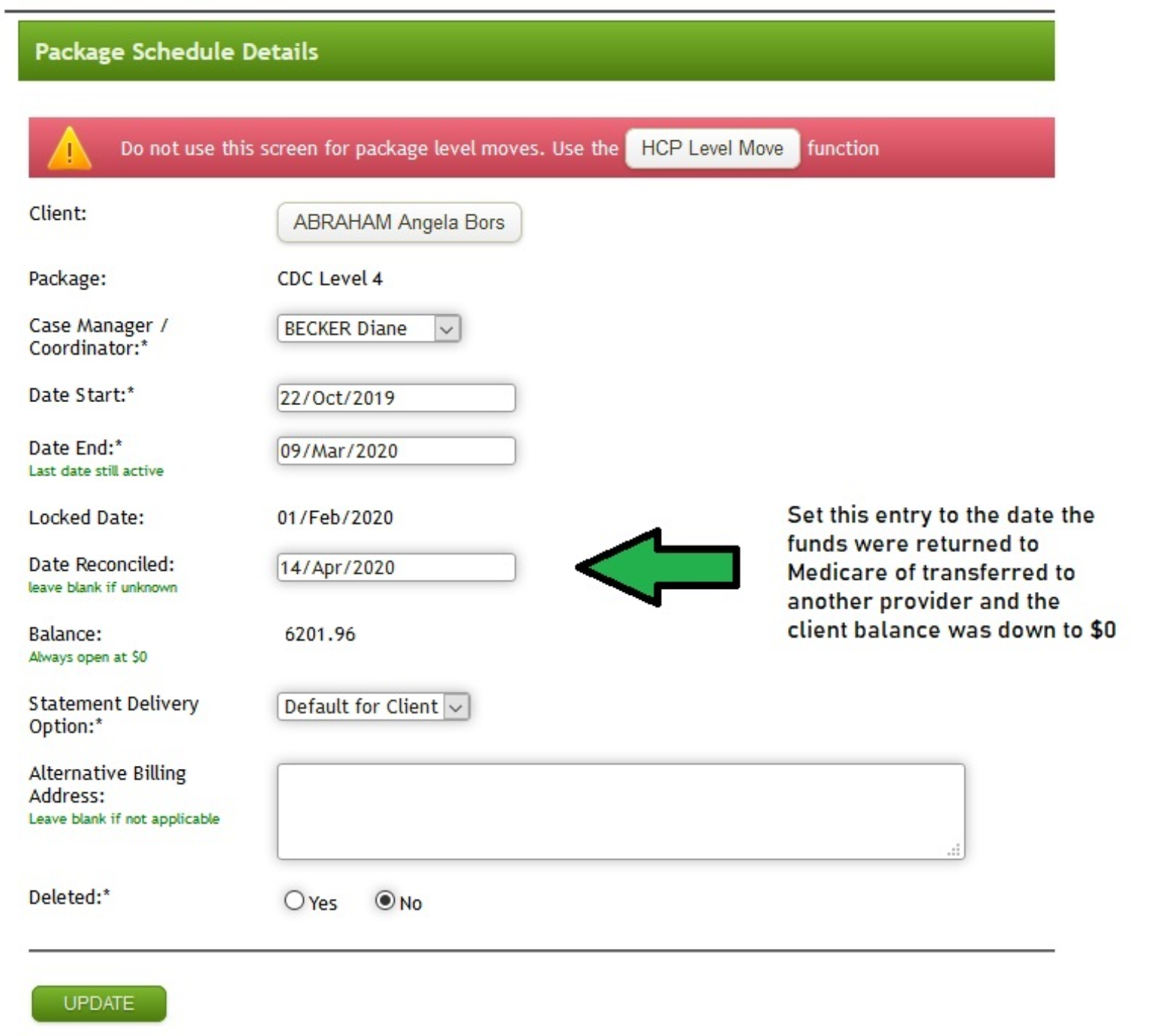
Go to package schedules, and click on the current package schedule
The below screen will open
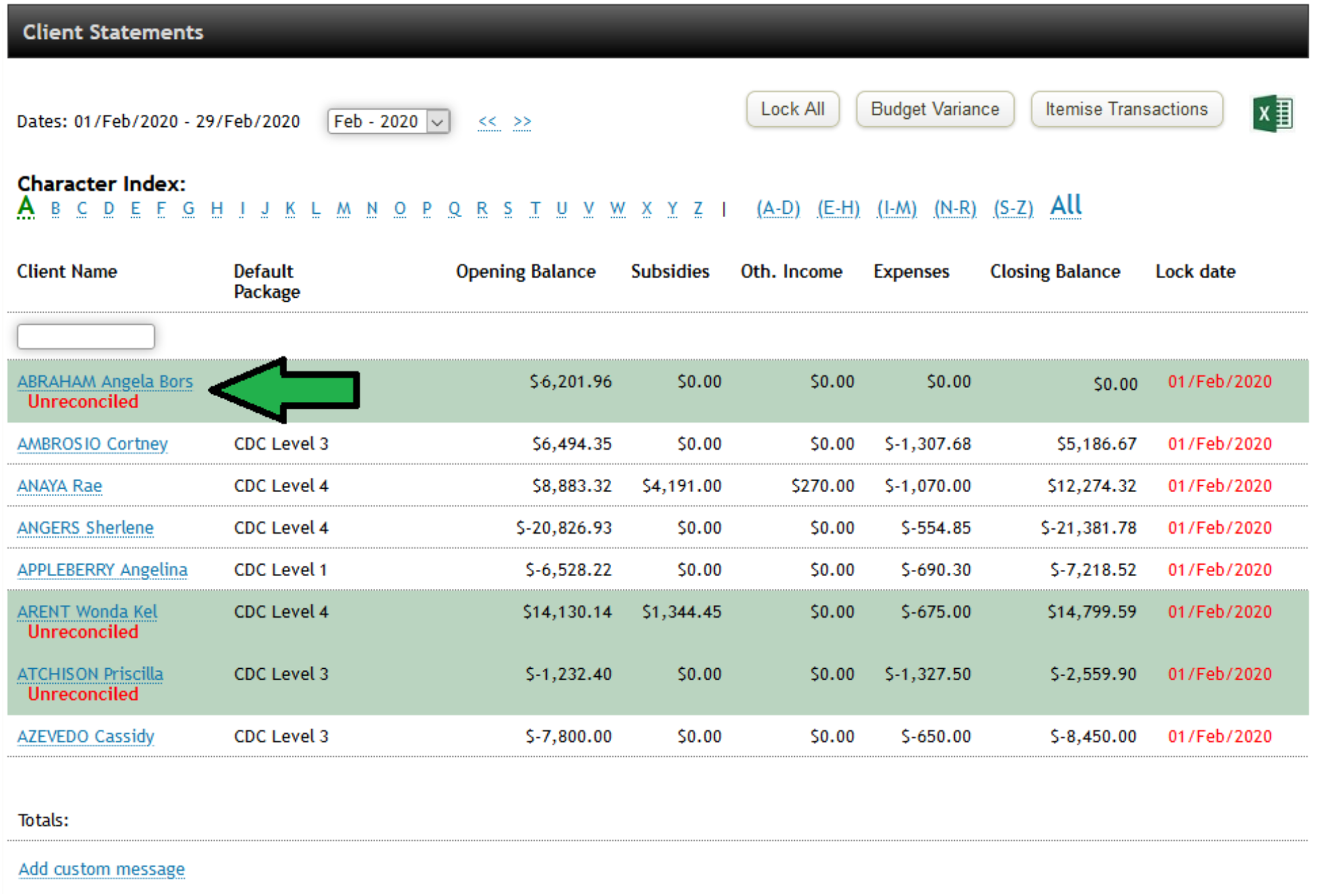
Statements for this client will now show up in dark blue with the word 'Unreconciled' under the client name
Step 2 - Unspent funds that needs to be returned
Under IPA - all surplus funds need to be returned to Medicare. There are 2 cases for how this amount is calculated
Case 1: Client already OPTED IN
If you have previously OPTED IN this client, the amount to be returned will be calculated automatically by PRODA and deducted from the future payments
Case 2: Client has NOT OPTED IN
If you are maintaining the subsidies held by provider each month and reporting to PRODA, you will need to follow the 'Report Unspent Funds on Departure' and advise the correct amount to return. Please make sure you are returning the correct amount, and only the number shown in the correct month for 'Subsidies Held by Provider' and not the overall total.
If you are unsure of the correct amount to return, please contact support for assistance
There are 2 options to either return the funds to Medicare (client package ended), or Transfer (client moving to another provider).
Option 1: Medicare (client package ended)
You need to report to the Medicare portal the amount of unspent funds owed back to the client. After this happens, a transaction will be included in the XML statement downloaded. It will most likely be the following month - when the next Medicare statement is issued, but can take longer.
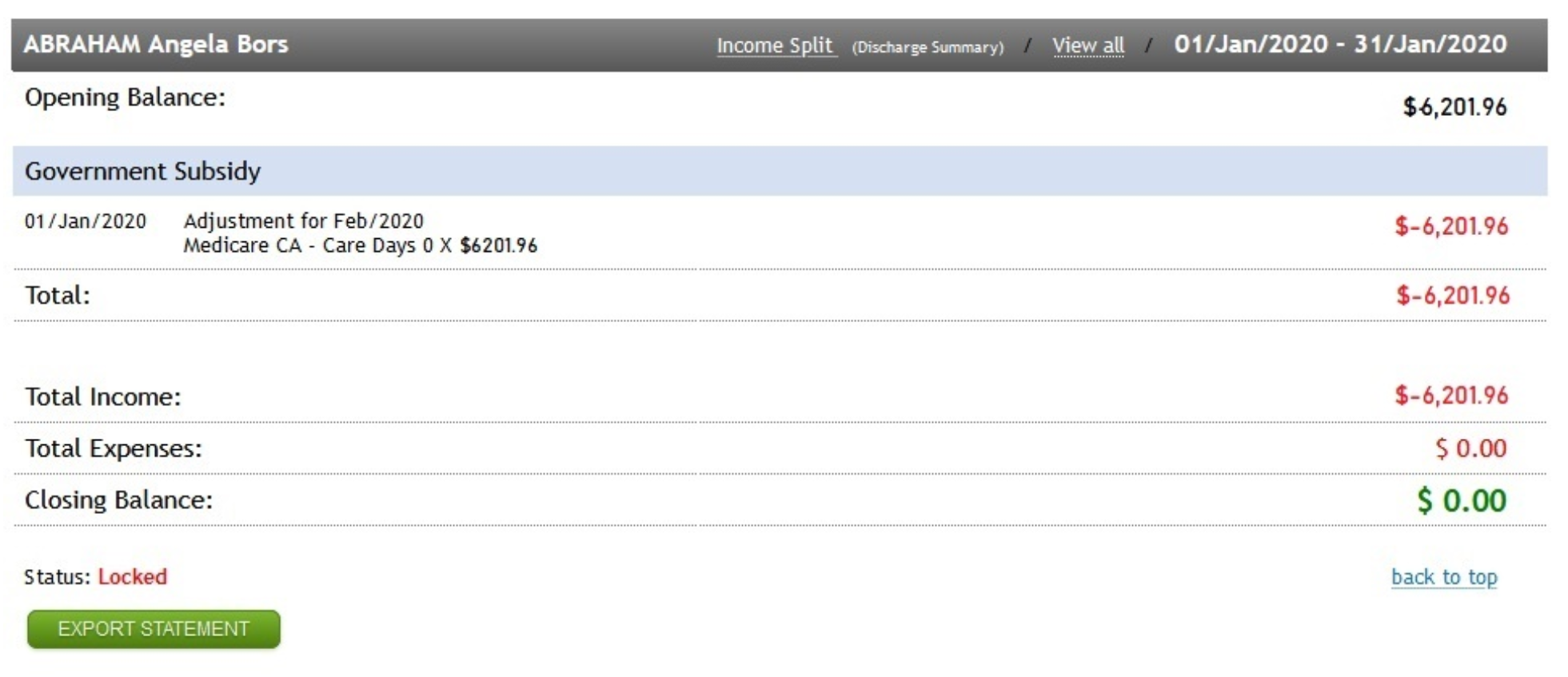
The transaction will be imported into the statement as follows, which should set the balance to $0
* Resetting Home Care Account to $0
This step can only be done after you import the payment statement (XML) for the relevant month, and 70 days since the package schedule end have passed.
Eziplan will only let you mark package schedules as reconciled once the total balance is $0
In most cases, the home care balance stored in PRODA will be reset to $0 once the 70 period day passed, but this will not be reflected in the statement automatically and will often require you to add a statement item to bring down the closing balance to $0
To do this, please check Home Care account of this client on PRODA to ensure the unspent funds have been returned to Medicare and the Home Care Account balance is $0, and replicate this records onto Eziplan statement by following the below step.
When PRODA moved $1200 from the home care account back to Medicare 70 days after the client's departure date but did NOT report the new balance of $0
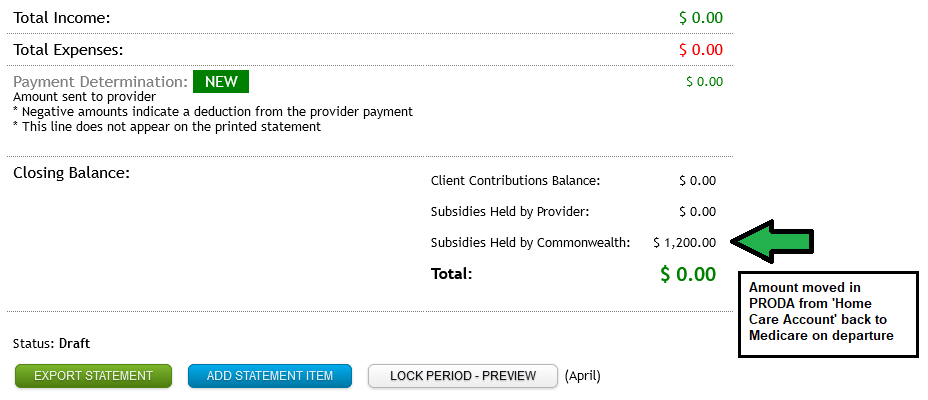
In this case: add a new statement item as follows in order to reset the HCA balance to $0
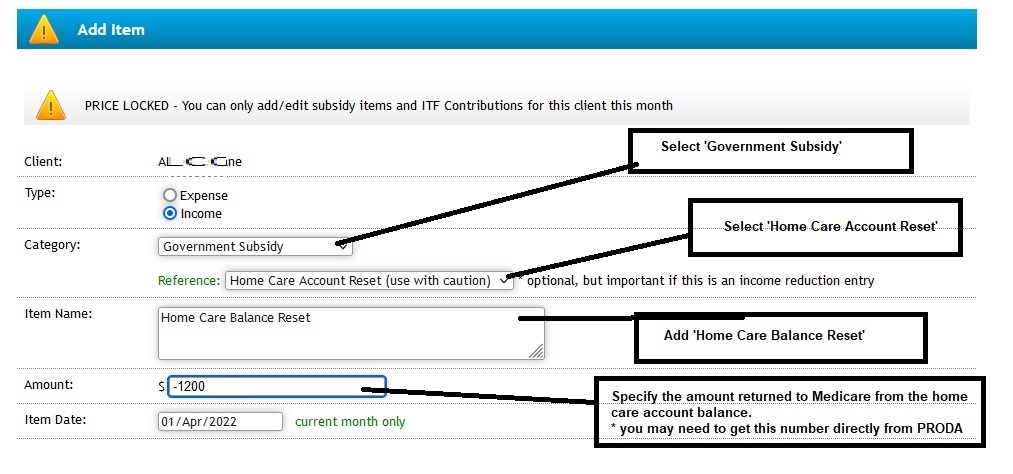
Option 2: Transfer (client moving to another provider)
Manually enter a transaction on the date you transferred the funds to another provider which should set the balance to $0
Step 3 - Set the 'Date Reconciled'
This should be the date that either the Medicare transaction shows the balance being returned, or the balance transferred to another provider
The client should stop appearing in the statement area for subsequent months.