On the Home page, scroll down to Upcoming Appointments. Any pending appointments will be indicated with either a brown or khaki box (see Upcoming Appointments).
To individually Accept appointments, tap on the arrow next to the client’s name. Accept is selected by default. Tap Process.
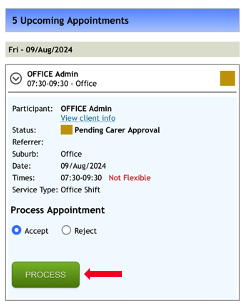
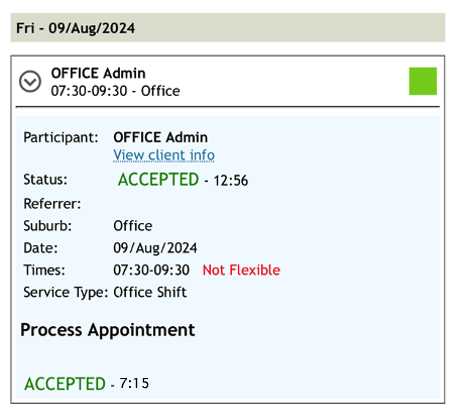
The Process button will be replaced with an Accepted message and time.
You may also choose to accept all Pending Appointments. To do this, tap on the green Accept All button underneath upcoming appointments. The page will refresh with an accepted notification.

Once you have accepted all the appointments you are able to work, you can then have your schedule emailed to you: