
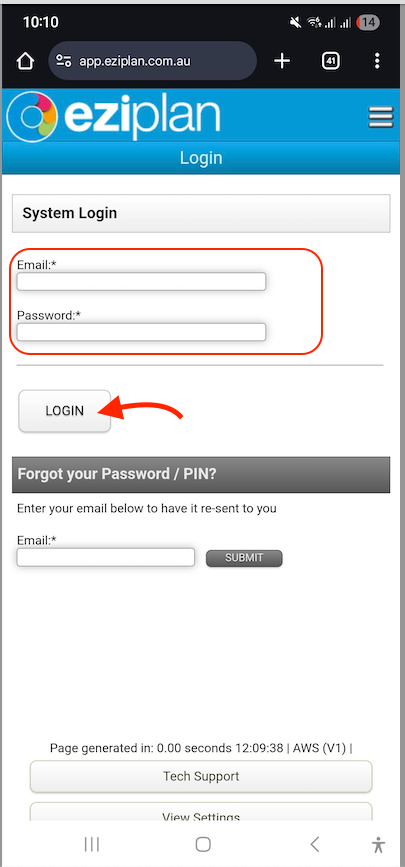
1. Log in to your Eziplan mobile app.
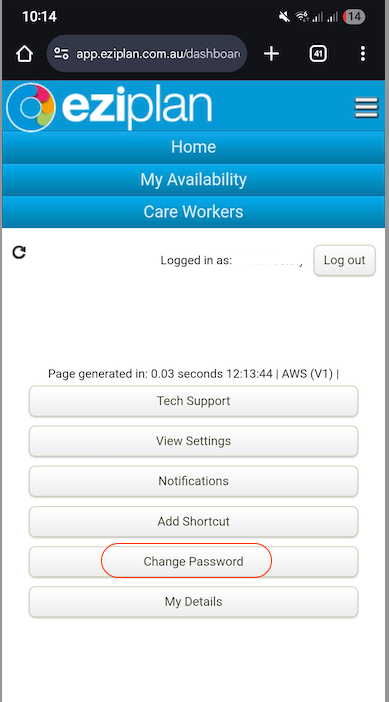
2. Tap 'Change Password'.
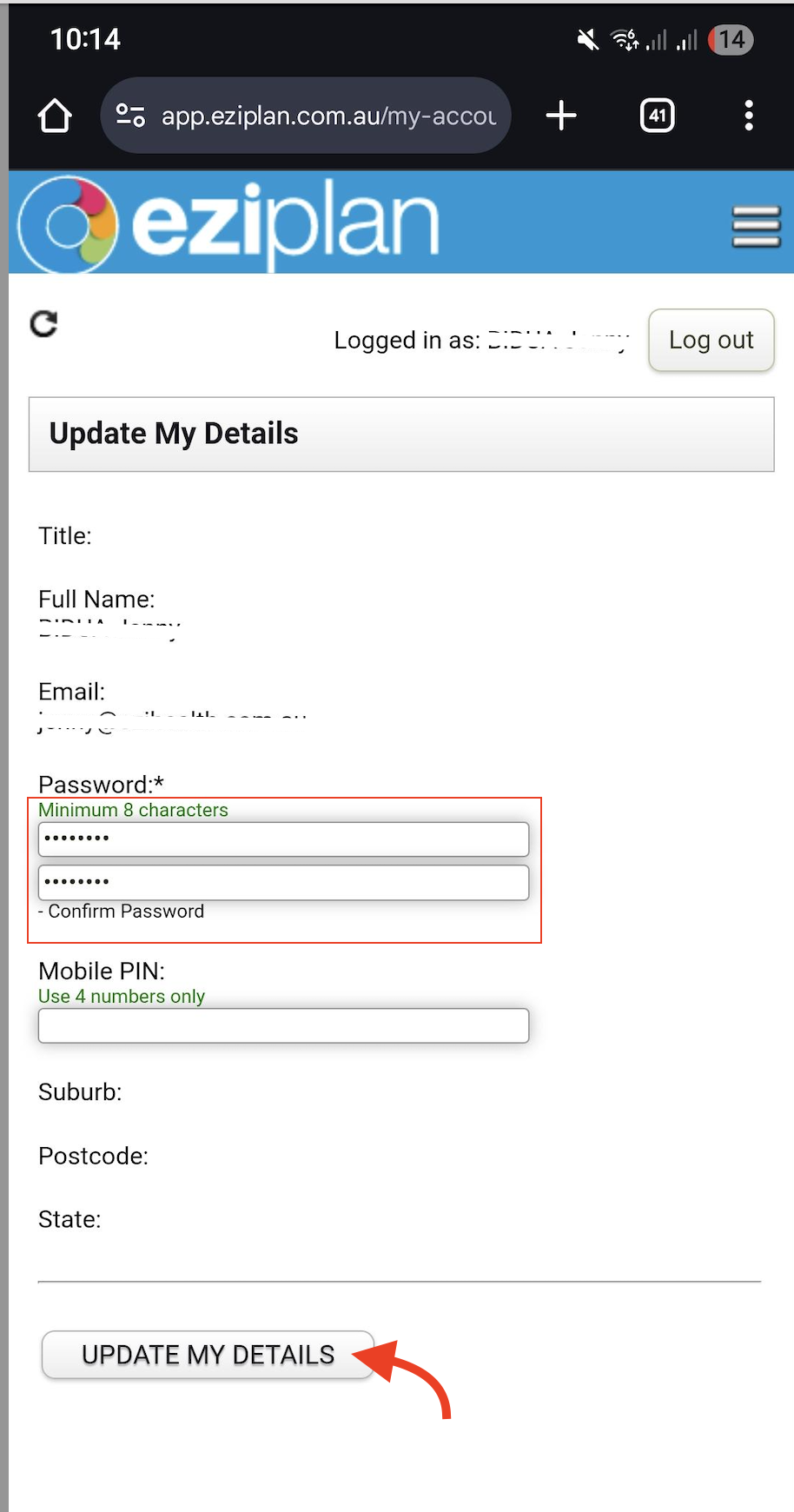
3. Enter and confirm your new password, then click 'UPDATE MY DETAILS'.

Eziplan Care Management
Need help with Eziplan Rostering?
Eziplan Mobile App
Follow these simple steps to update your password in the Eziplan mobile app.
Last updated on 09 Dec, 2025
1. Log in to your Eziplan mobile app.
2. Tap 'Change Password'.
3. Enter and confirm your new password, then click 'UPDATE MY DETAILS'.