Logo

Eziplan Care Management

Need help with Eziplan Rostering?

Eziplan Mobile App

Staff ID Card

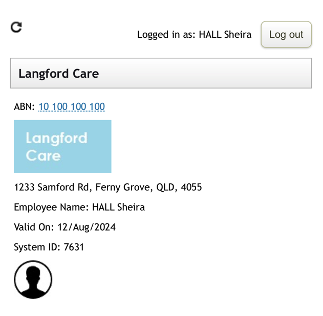
In-app staff ID card for staff to use to identify themselves to clients and families

Last updated on 09 Dec, 2025

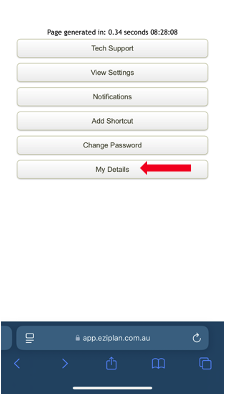
Eziplan has a client details page that can be used by staff as an ID card. The Client Details page can be found in the tabs at the bottom of the mobile app page.
Image

When you open the Client Details page you will have the:

  • Business Name

  • Business Logo

  • Business ABN

  • Business Address

  • Staff Name

  • Staff Photo

  • Staff System ID number 

Image
Did you find this article helpful?
Previous

Adding Split Availability on Eziplan Mobile Web App

Next