

Once you have created your client/participant profile, you are then able to add in additional information relevant for rostering purposes e.g. gender preferences of care workers.
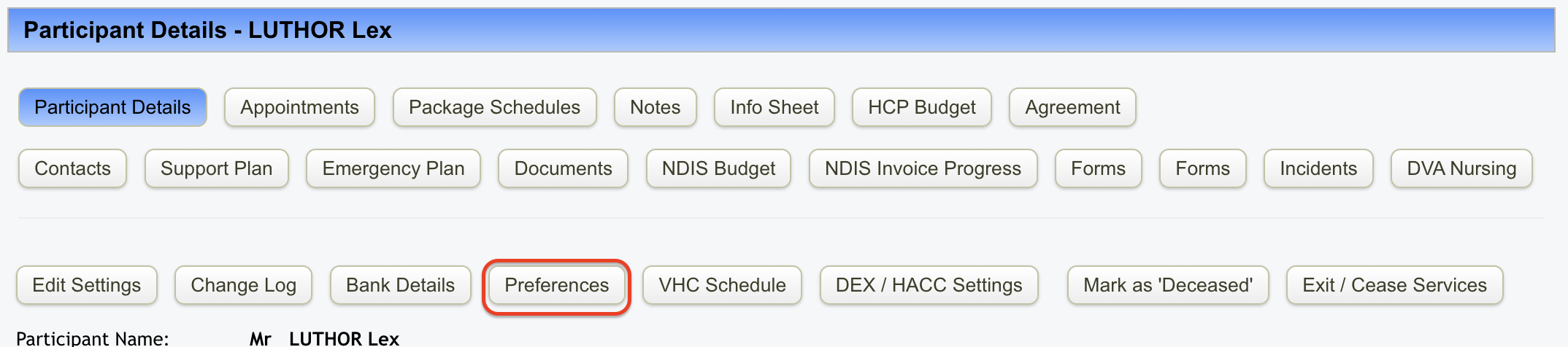
From the profile page, click on the 'Preferences' tab:
This will open up the following screen where you can indicate if there is a specific gender of care worker the client/participant prefers. You also have the option to indicate if there is a preference for any specific care worker that the client/participant has indicated.
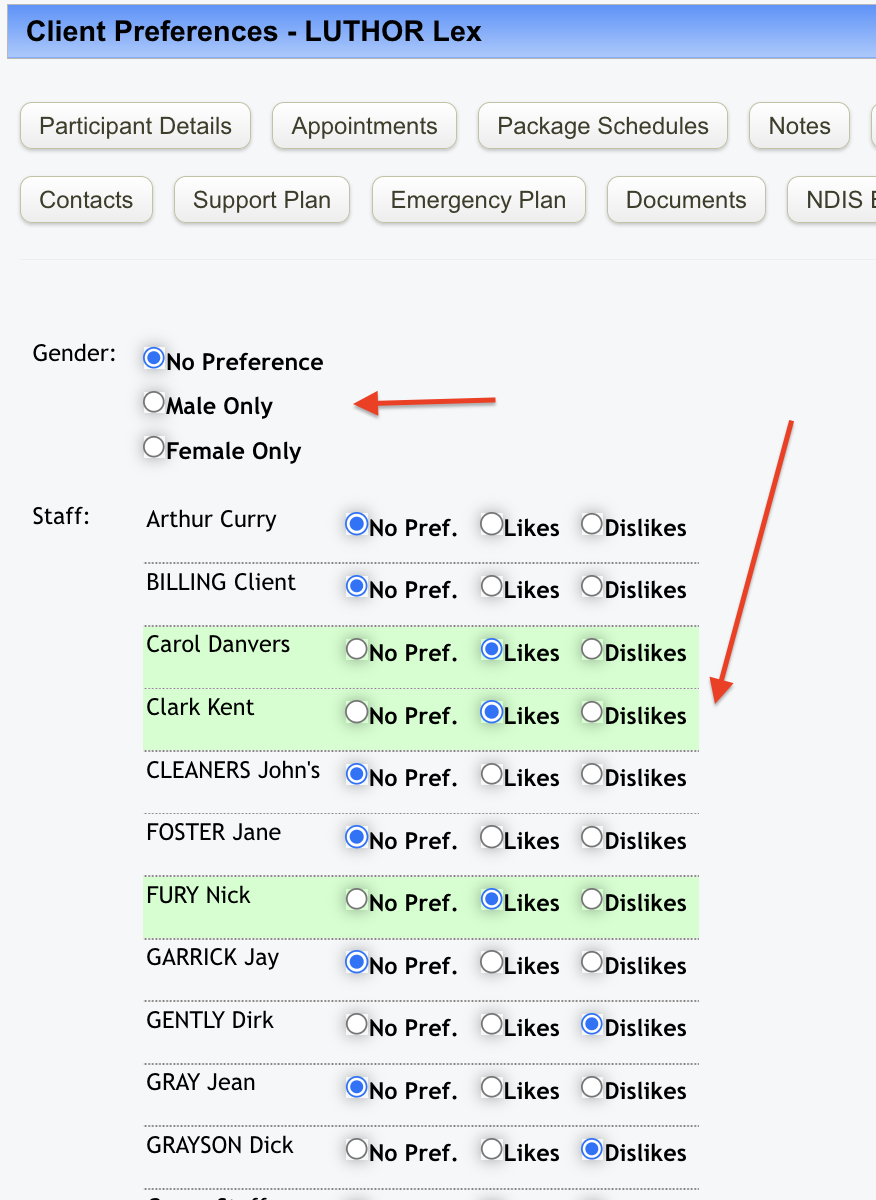
Once you have updated the preferences, click on the 'Update Client Preferences' button at the bottom of the scree.

Preference Indication in Weekly Planner
Once you have preferences saved against your client/participant, these will then reflect in the weekly planner if one of the staff rostered does not meet the client/participant preference. Appointments that have a red cross within the field indicate a warning that there is a preference clash:
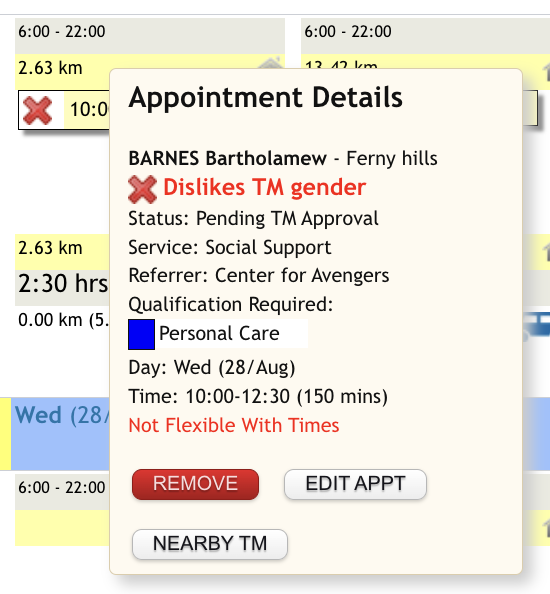
This visual cue will help you quickly and easily manage your rostering to meet client/participant preferences.