

You may have situations arise where unscheduled leave requests (e.g. sick leave) require immediate action. This will be effecting Individual Appointments that have already be rostered into the Weekly Planner. In order to manage individual appointments for the on leave period, ensure a leave request has been processed for the Care Worker. This will automatically create appointment conflicts for you to review in the Weekly Planner. To find the affected appointments and manage a cancellation, follow these steps:
Create a leave request for the Care Worker
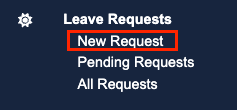
Go to Leave Requests > New Request
Mark the leave request as Approved
Review the appointments now affected in the Weekly Planner side panel. Go to Appointments -> Weekly Planner
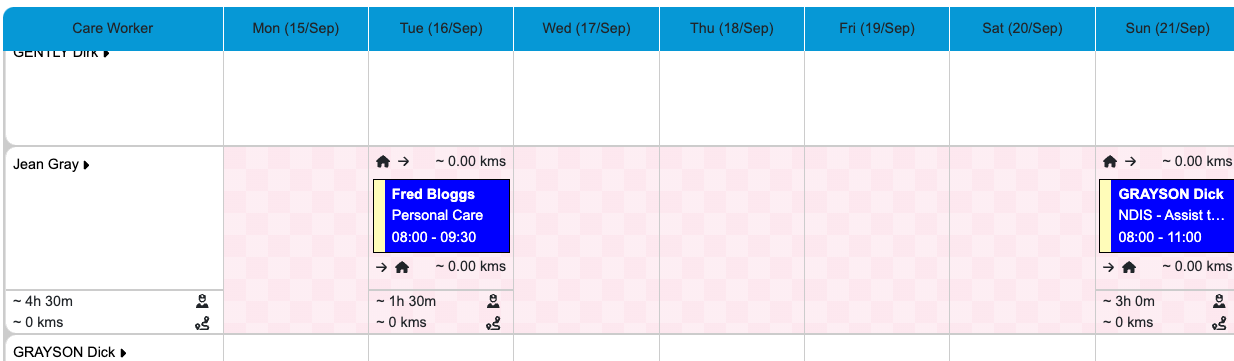
Locate the Appointment in the Weekly Planner. These will now show as conflicts due to the leave request you have processed in Step 1.
Appointments in conflict
Within both the Daily and Weekly View, On Leave, is represented as a Pink Checkerboard pattern.
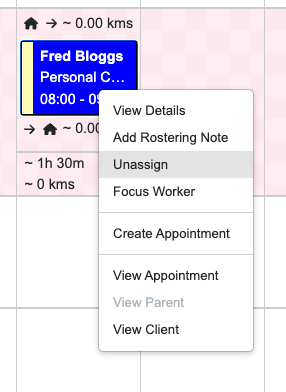
Cancel the appointment or right-click on the appointment to unassign the care worker.
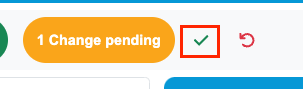
Click the green checkmark to approve the pending change.
Please note that any leave requests in Eziplan are not reflected in your payroll export. These leave requests are to be updated directly in your payroll system. This is to ensure that the time taken for the leave is correctly interpreted and reflected in the staff members leave allowance.