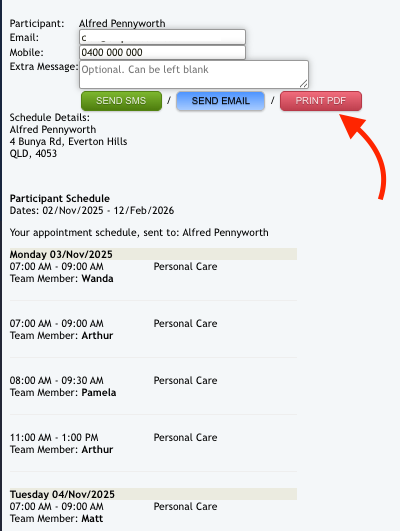
There may be occasions where you need to notify your clients of their appointment schedule but they are unable to access the internet or sms to see them. The process is similar to sending a client schedule via email or sms.
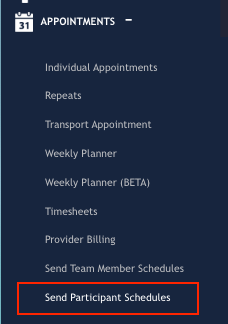
From the Eziplan Menu:
Appointments - Send Participant Schedules
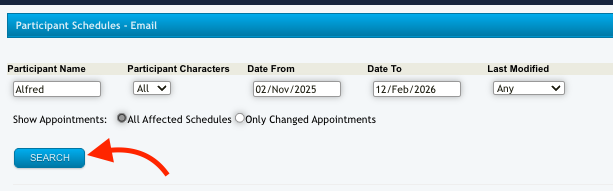
From here, you can search for the client and filter by date.
Once you've hit the Search button, a list of all the appointments will show up. Note that only appointments that have been confirmed and published in the Weekly Planner will be listed.
You can then send the schedule via email. Where your client does not have access to these, you can export as a pdf for printing by clicking Print pdf and print a hard copy for to disseminate to the Client.