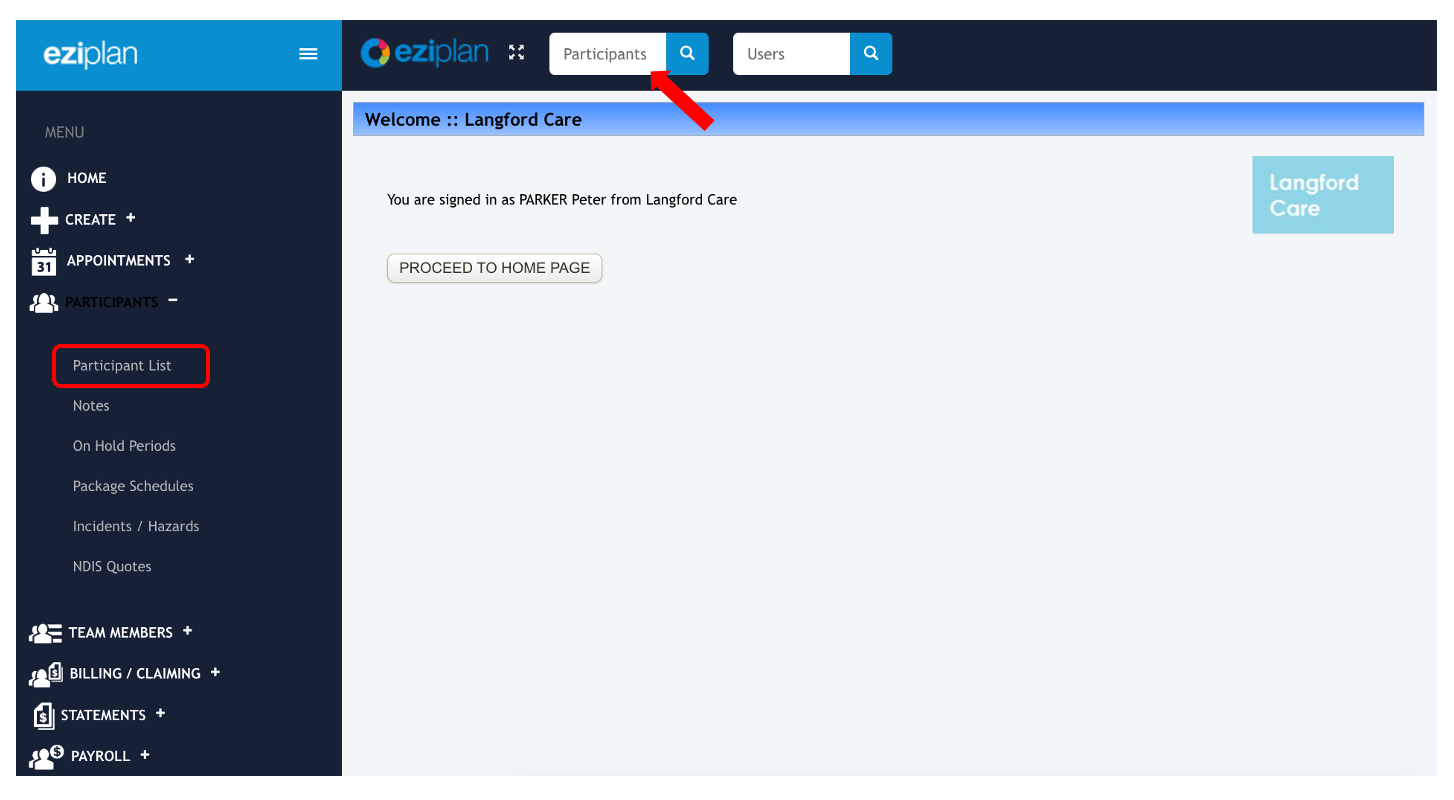
To access the email and SMS log detailing client schedule changes in Eziplan, enter the client or participant's name in the respective tab, or navigate to the Clients/Participants list in the Eziplan Menu and select the specific client/participant for whom you wish to retrieve the log.
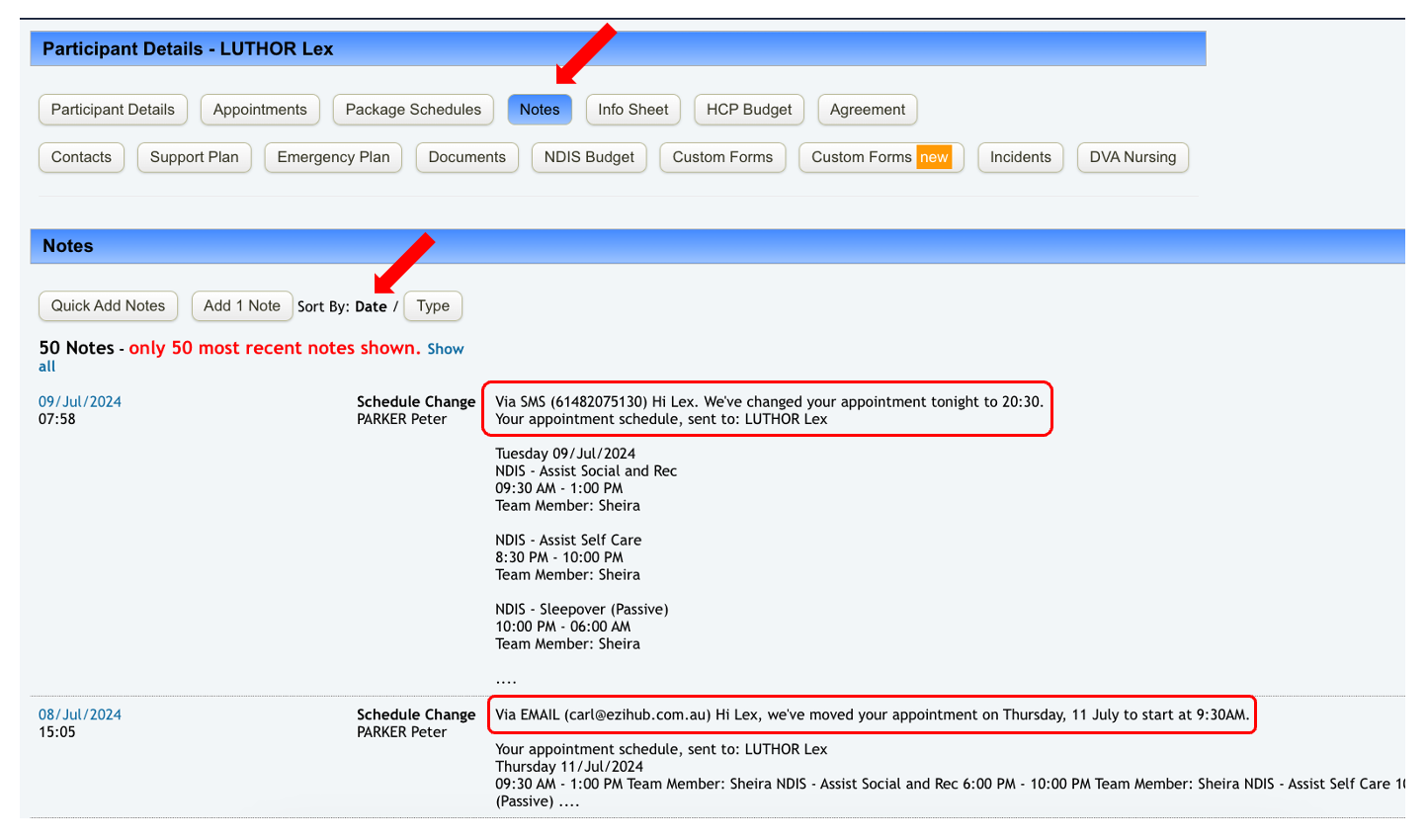
From the Client's Profile, select Notes and then sort by Date. And that's it! The system will now display the notes in chronological order, making it easier to track changes to client schedules effectively.