

The Conflicts tab lists appointments where assignments are not ideal - for example, they may be against client preferences, such as gender. Appointment overlaps, double booking and travel clashes will also result in a conflict.
Clicking on the Care Worker on the Conflicts tab will bring that care worker to the top entry of the Weekly Planner view.
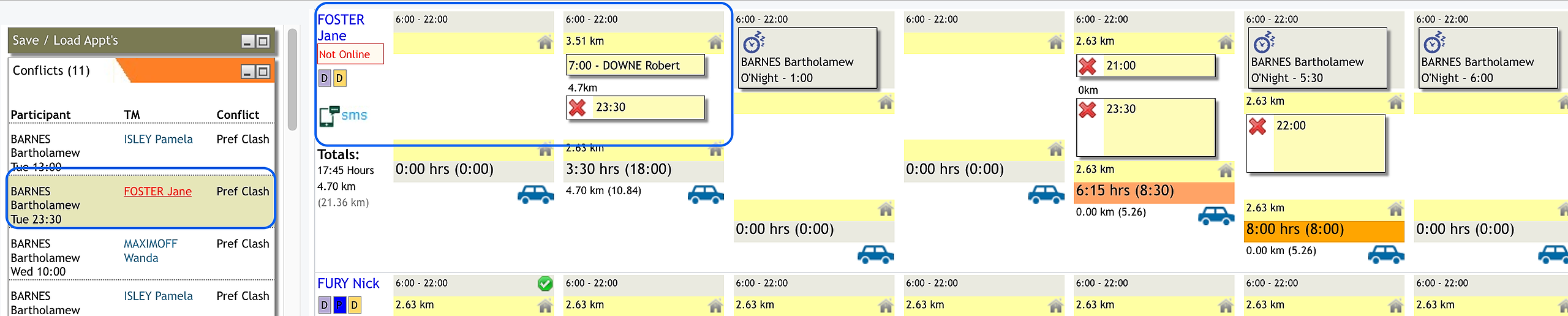
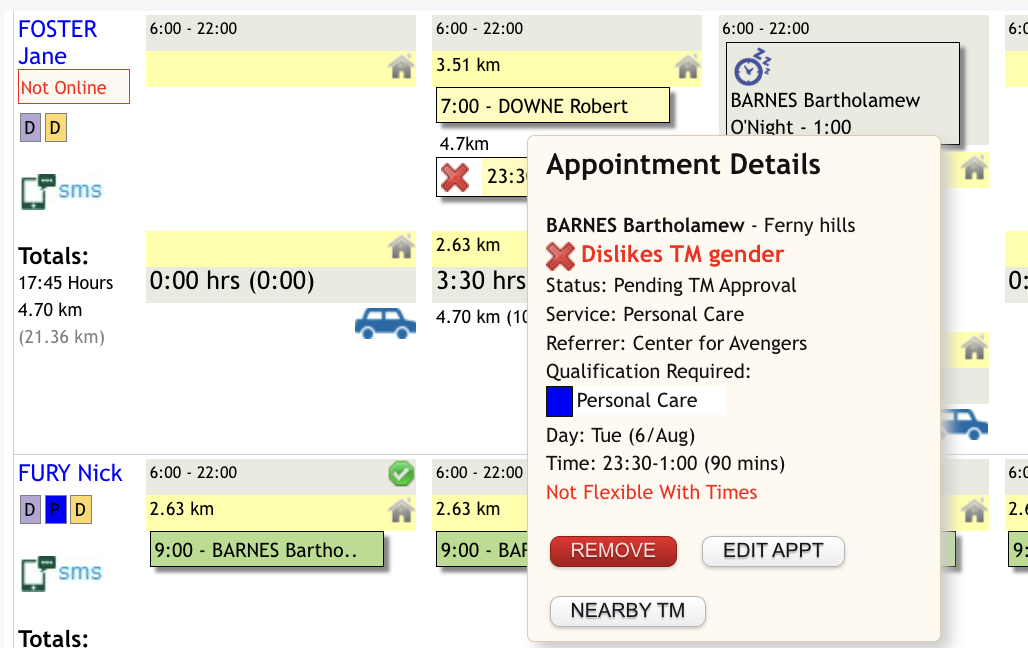
Hover over the appointment to make changes, as necessary.
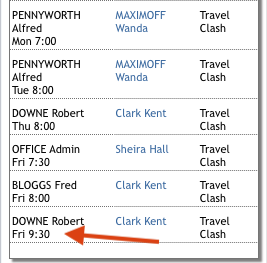
For travel clashes, open up the daily view for the day the clash occurs by clicking on the day/date at the top of the planner:
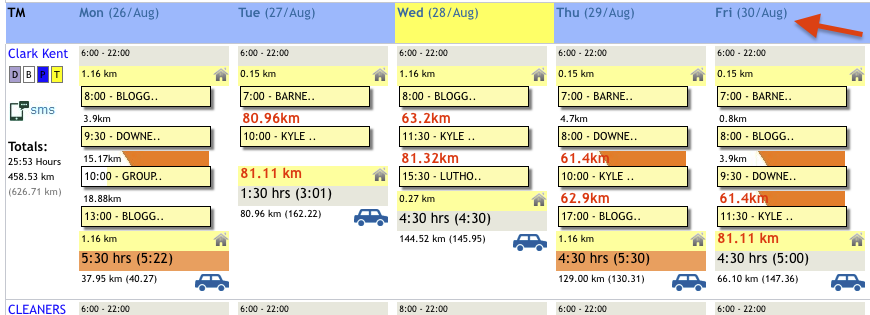
The planner view will change to the below where you can navigate to the care worker concerned and open up their day by clicking on the down arrow next to their name:
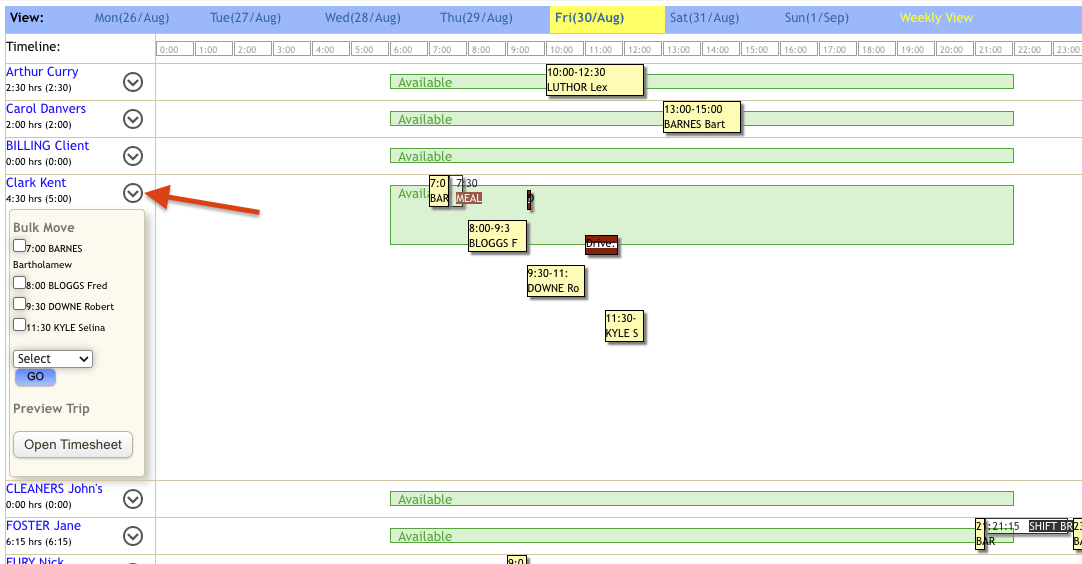
Review travel time bars between Services which should be 'Black'. Where there is a clash identified, hover over the travel time bar and further information will pop up to allow to make a decision on how to manage the clash:
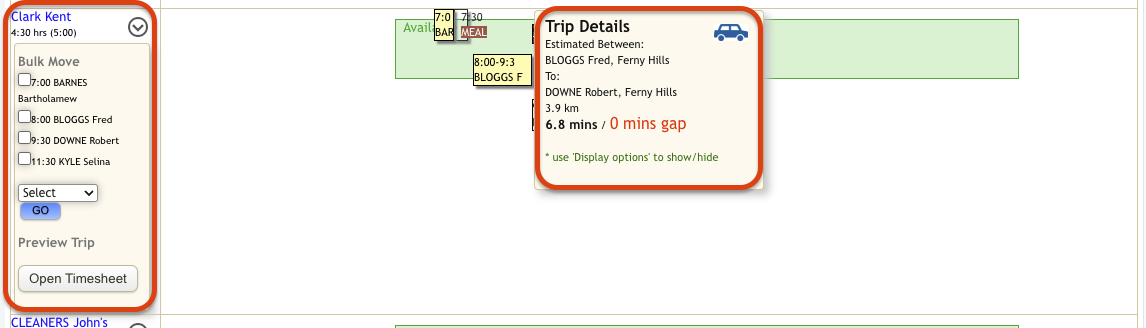
If travel time seems incorrect, follow the steps here in the Fixing Errors in Travel Time in Weekly Planner (caching) article.
The following options can be managed through here to address the clash:
Move an appointment to another worker by selecting the client/participant name from the list on the left, selecting the worker you are wanting to move the appointment to and then clicking on 'Go'
Adjust the time of one of the appointments by clicking and holding on the bar for the appointment and dragging it earlier or later (N.B. ensure the impacted client/participant has approved the change to their scheduled time)
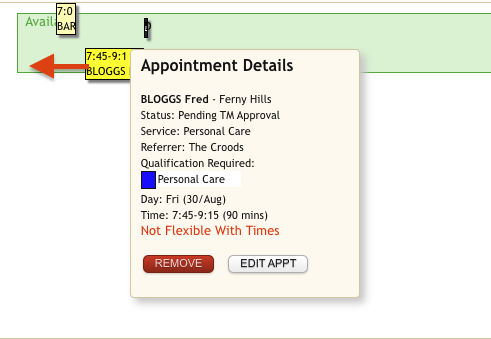
After saving you will see that the travel clash no longer shows in the conflicts list and the bar now displays as black coloured.
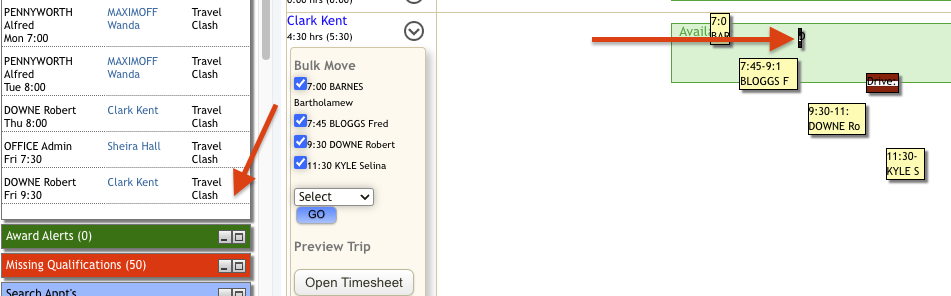
It is recommended to save the schedule updates regularly as you are editing. Remember, saving is not publishing.
The next article will show you how to find specific appointments: Rostering Basics 5: Search Appointments.