

Eziplan allows you to export a complete list of claim items as a CSV file directly from the Claim view. This export is available both before and after claim finalisation, giving you flexibility to review and share claim data at any stage of processing.
How to Export Claim Items
Steps to generate a CSV export of claim items
Navigate to Support at Home > Claims
Open the relevant claim
Select the Generate CSV button from the claim toolbar
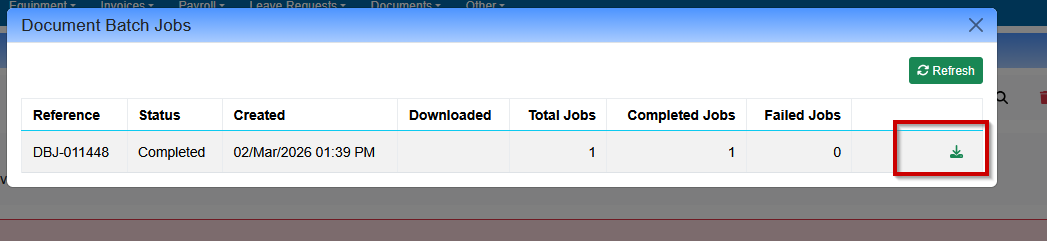
The system will generate the export — this may take a moment for large claim volumes
Once ready, the CSV file will be available for download

What's Included in the Export
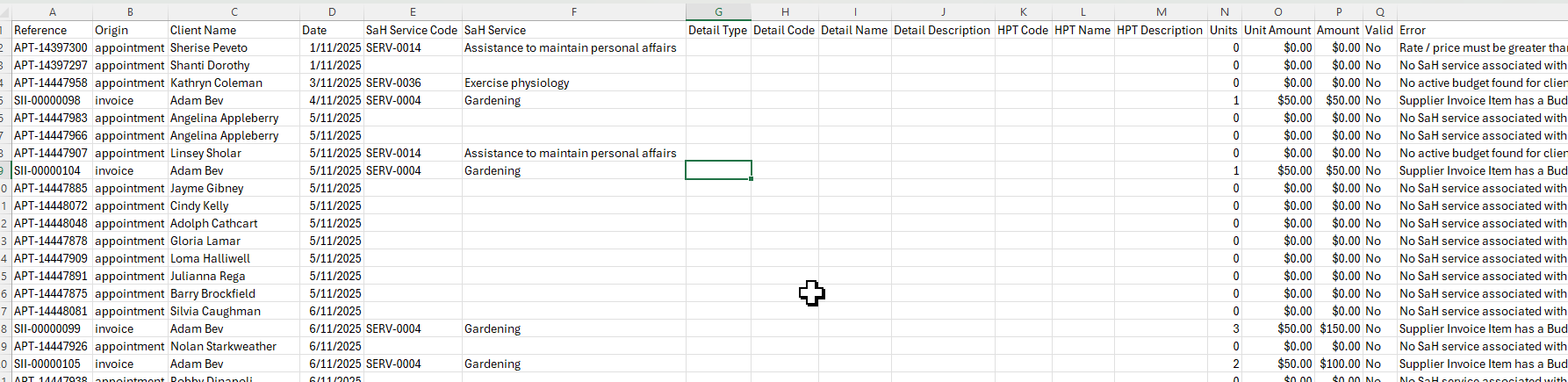
The CSV export includes all claim items as they appear on screen across all pages of the claim. This includes line-item detail such as service dates, support item codes, units, and values.
When to Use This Feature
Pre-finalisation review — verify claim items before submitting to PRODA
Post-finalisation reconciliation — compare submitted claim data against PRODA outcomes
Reporting — share claim detail with finance or management teams