

Support at Home Statements look a little different to Home Care Package Statements. We have broken down the different area's of a statement below:
Front Page:
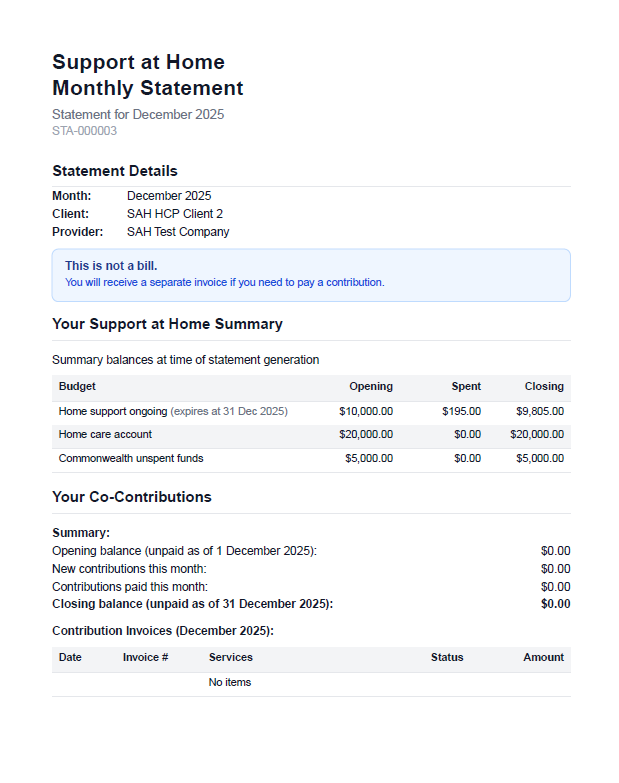
Header:
In the header details about which month the statement is for as well as the statement's unique identifier are shown. In this section your companies logo will also be visible.
Statement Details:
In this section a breakdown will show the generic information about this statement including:
Year and Month
Which Client this statement belongs to
Which Company this statement belongs to
It also includes a quick blue banner reminding the client that this is not an invoice
Your Support at Home Summary:
In this section a break down of the different Government Budgets are shown for the current month.
This will show all the valid budgets that have been imported from PRODA as part of the statement generation process and will show for each budget:
Month Opening Balance
Spent within the month
Month Closing Balance
Your Co-Contributions:
In this section, a break down of any co-contributions that have been collated in this month will be shown here. This will also show any co-contribution invoices that have been generated within Eziplan (feature coming soon).
Services You Received
Page Two
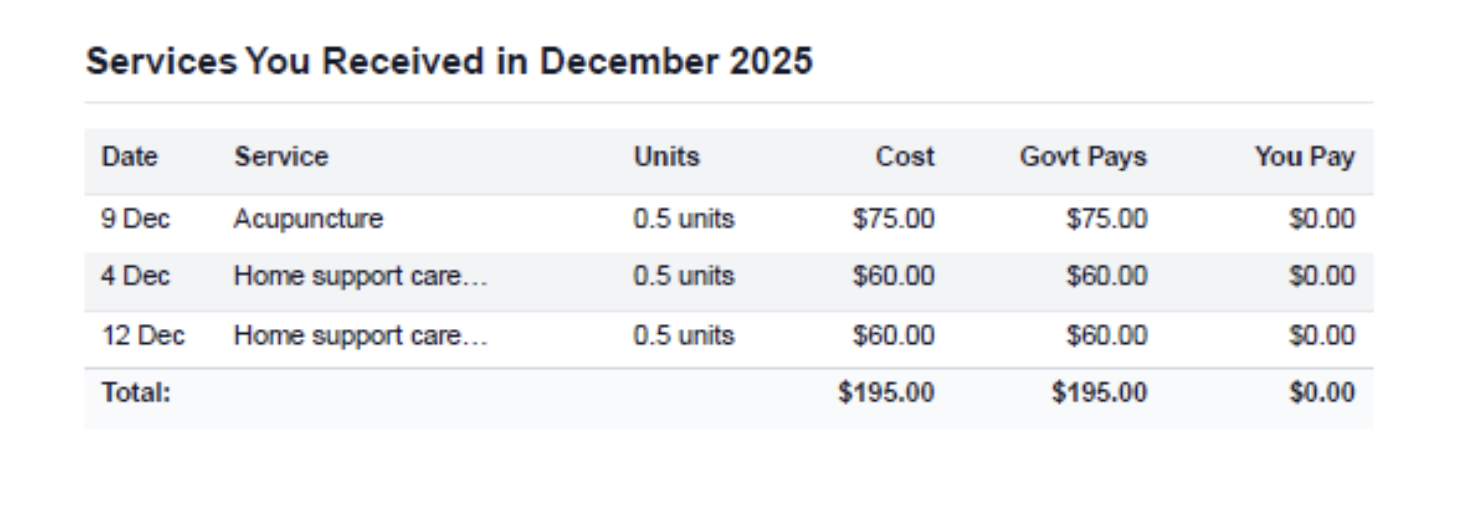
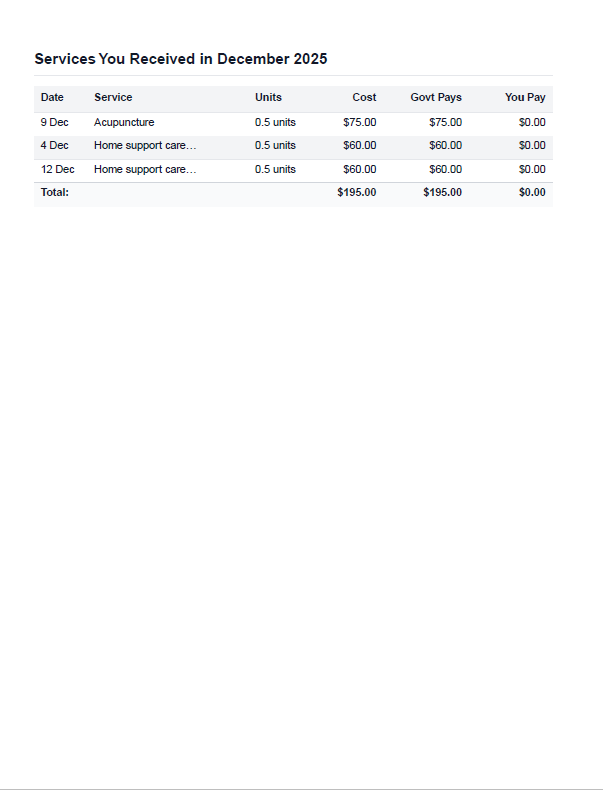
A table will be shown of all the services that have been received, claimed and paid in the month of the statement.
These will show the following details:
Date of Service
SAH Service Type
Units (i.e Quantity)
Total Cost
How much the Government has paid
How much the client is expected to pay as a co-contribution
Services Affecting Your Budgets
Page Three
A breakdown of Budgets and consumption will be shown. Per Budget/Funding Type, each individual service delivered will be summed up per service type and associated with the various budgets they have affected including any Home Care Package unspent funds.
You might see the same Service across multiple budgets as they might have resulted in draw downs from multiple budgets.
Services Adjusted for Previous Months
Where Services were not ready to be shown on a previous months statements but have since been claimed/processed they will be included in the next available months statement. The above example is for services delivered in December 2025 but showing on a January 2026 statement.
Understanding SAH Budget Periods on Statements
Support at Home budgets operate on quarterly cycles. When a new quarter begins, you may see multiple entries for the same funding type on client statements - this is correct behaviour as it reflects both the expired quarter and the new active quarter.
Why Multiple Budget Lines Appear for the Same Funding Type
Each SAH budget has specific start and end dates aligned with government quarterly funding cycles. When generating statements that span across quarters, Eziplan displays both budget periods separately to provide accurate opening balances and spending for each distinct funding period.
For example, a statement covering December to January may show:
Home Support Ongoing (Expires 31 Dec 2025)
Home Support Ongoing (Starts 1 Jan 2026)
This ensures spending is correctly attributed to the appropriate quarterly budget allocation.
How Opening Balances Are Calculated
Eziplan calculates opening balances based on the specific budget period's start and end dates. This ensures that:
Spending is attributed only to services delivered during the budget period
Quarterly budget rollovers are accurately reflected
Client statements provide transparent tracking across funding periods
Troubleshooting: Unexpected Budget Lines on Statements
If you see more budget lines than expected:
Check the statement date range - it may span multiple quarterly budget periods
Verify that budget import has created unique entries for each period
Confirm that budget start and end dates align with government funding cycles
Multiple budget lines for the same funding type across quarters is expected and ensures accurate financial tracking.