To update the wellness check distribution list, simply log into the Eziplan Customer Login, then navigate to the respective client profile.
From there, copy and paste this link into the browser: https://app.eziplan.com.au/cform-view.asp?formID=420&eid=0
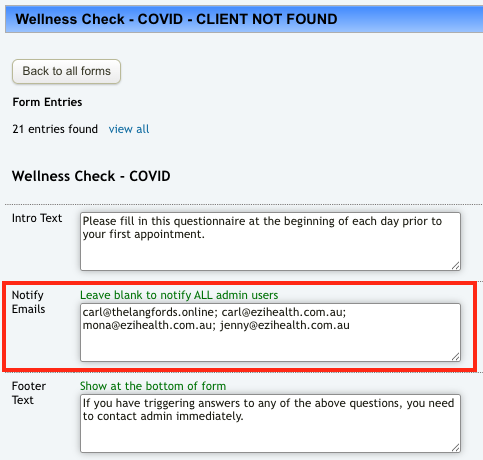
Enter the email addresses of the admin you wish to notify in the Notify Emails field, or leave blank to notify ALL admins (separate each email with a semicolon)
Click Save Form below the page to save the changes.