

There will be few occasions where you no longer provide services to clients and need to remove them from your Eziplan system. One being client leaving your organisation and moving to another provider, and another one being client being deceased. We will look at what the best practice is to handle this within Eziplan for both cases.
Departing clients
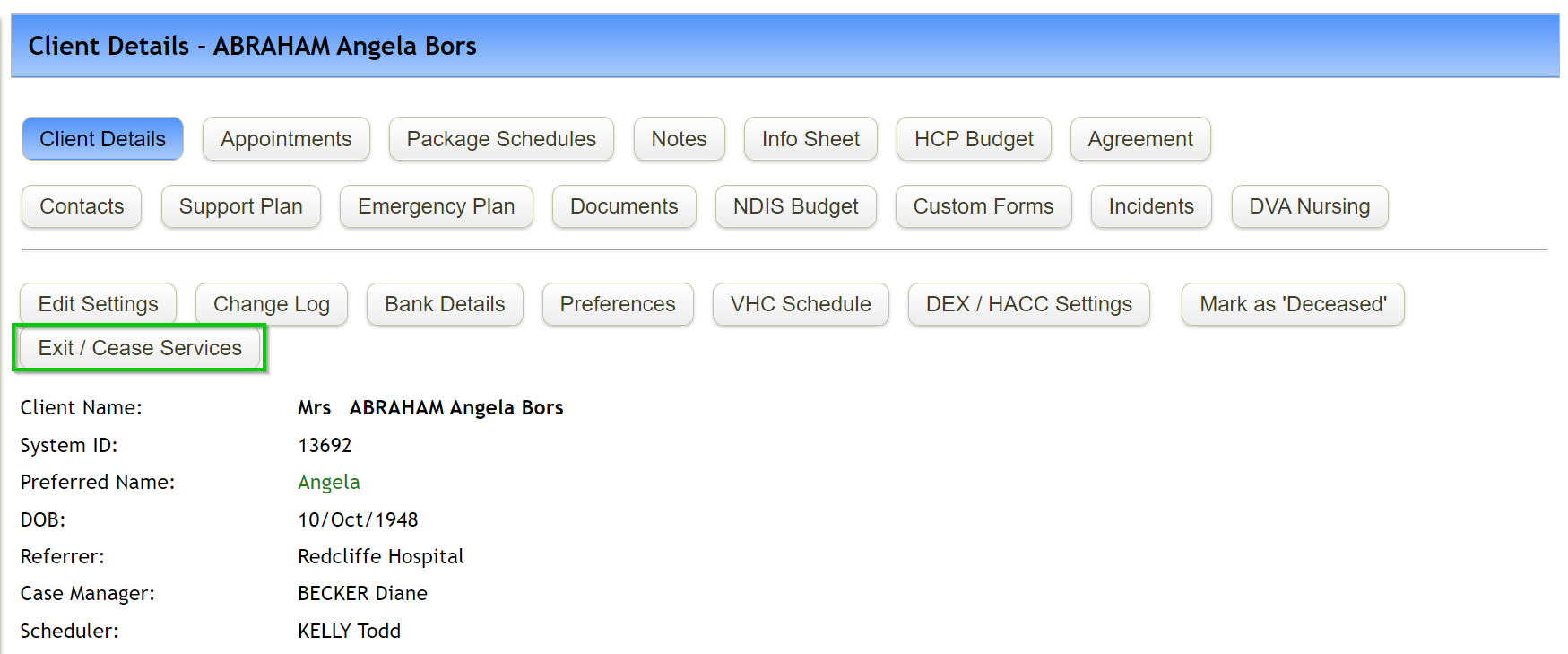
When client is leaving your company, open their profile in Eziplan and select Exit/Cease Services.
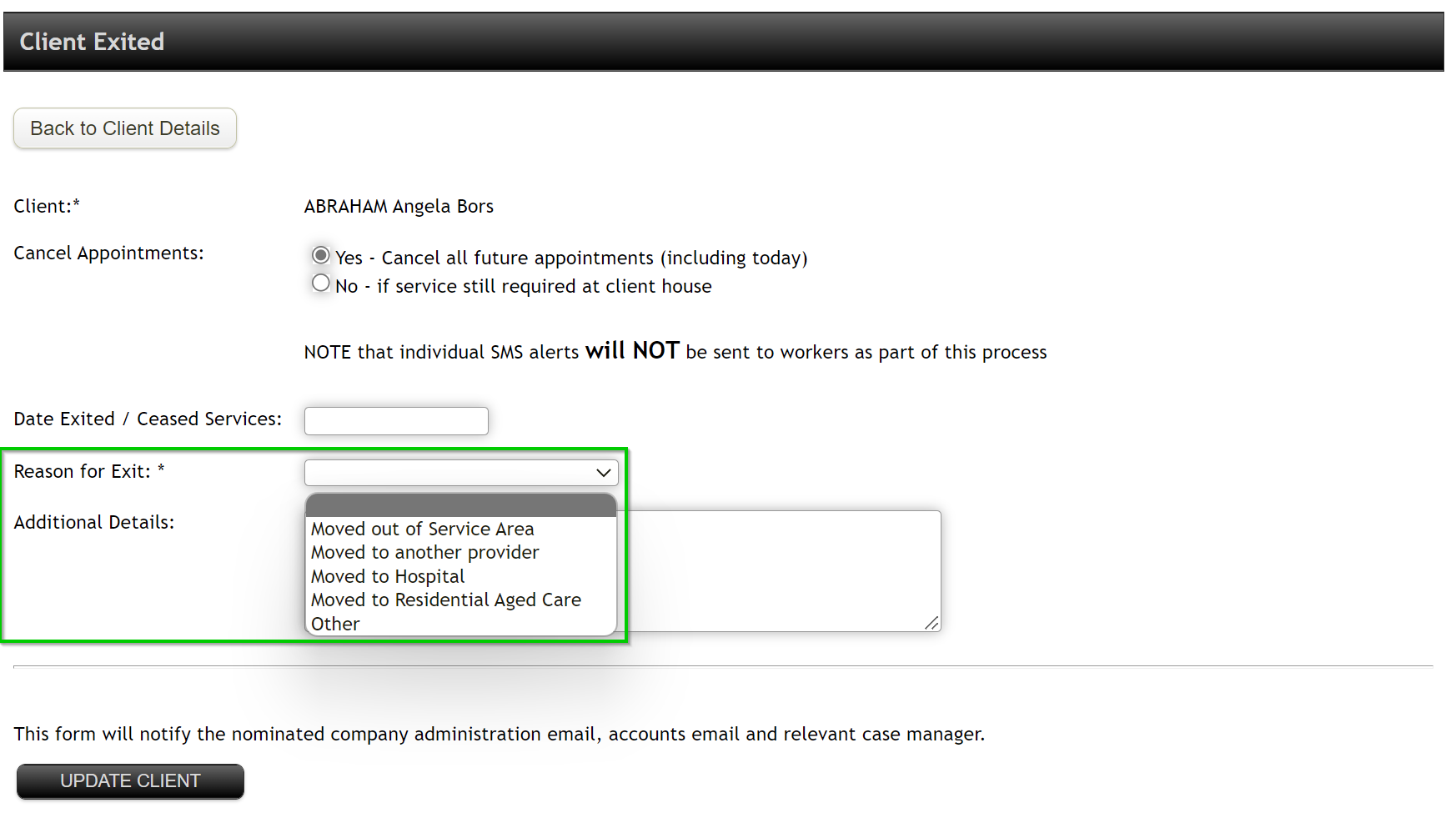
You will be given the option to cancel all future appointments, enter exit date & Reason.
Select Update Client
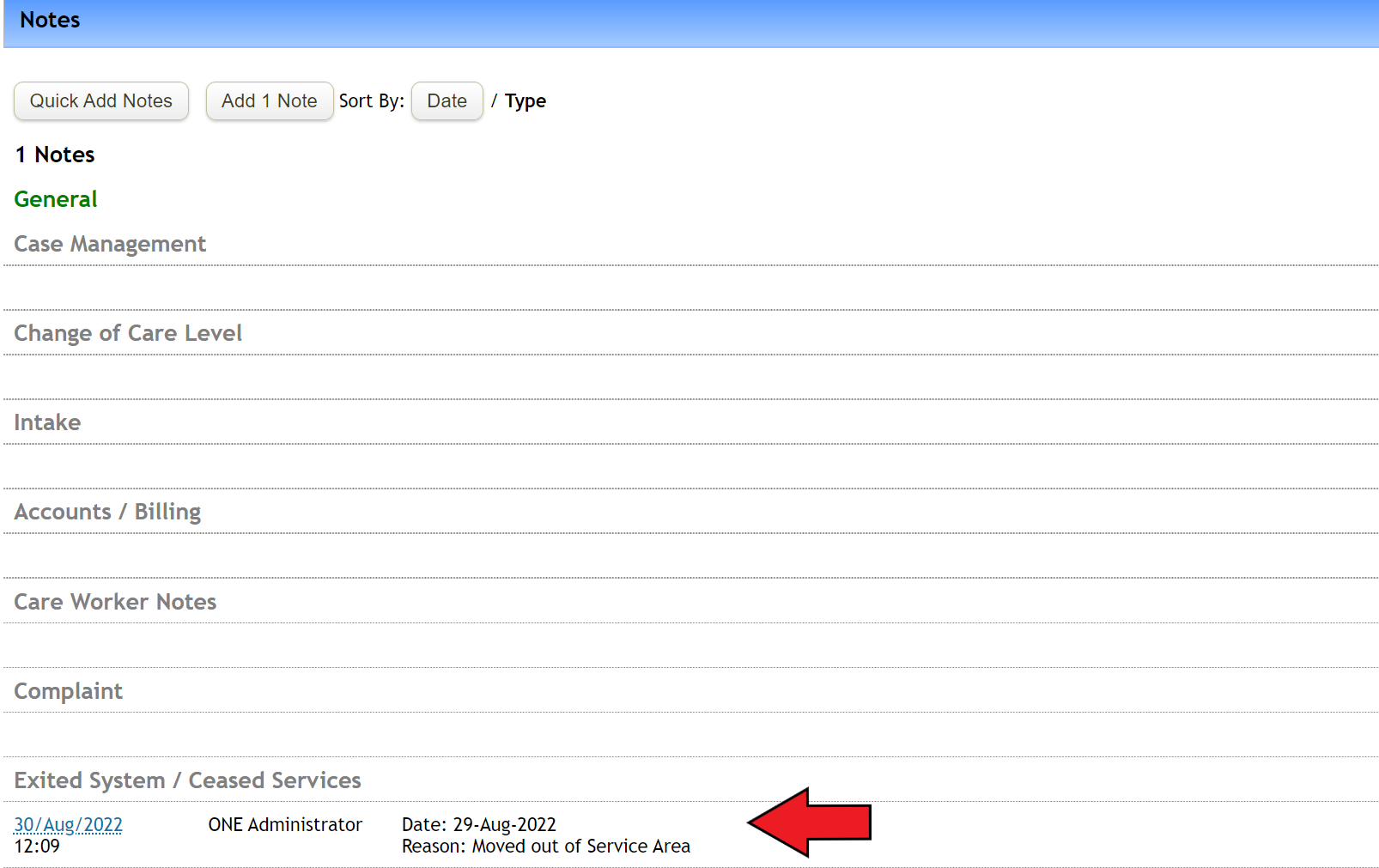
And this information will be automatically captured as a note.
Deceased clients
If the client is deceased, you will need to select Mark as Deceased on the client's profile. And the rest of the steps are similar to the above.

Once updated, this information will be captured as Deceased note as well

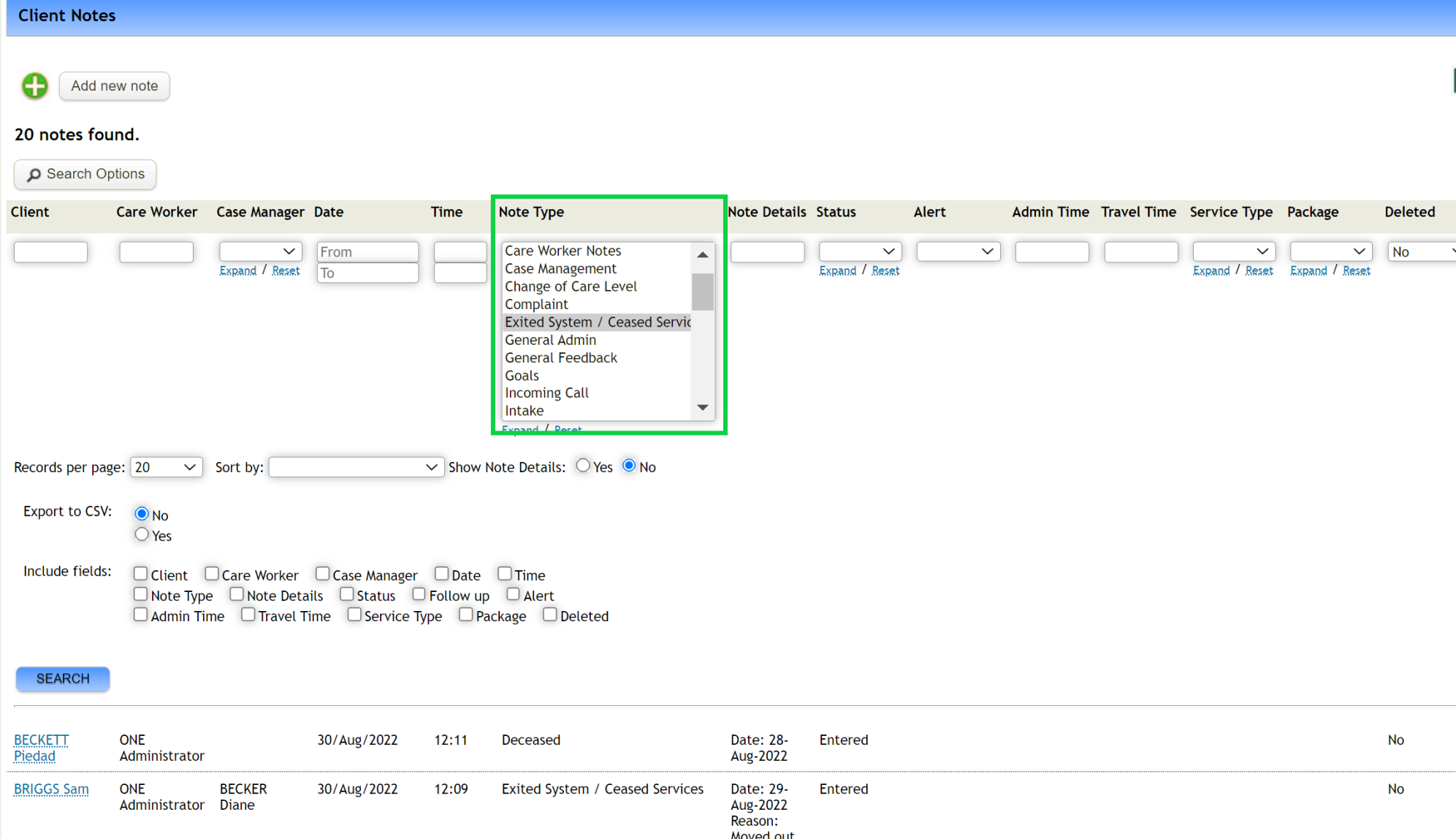
Based on this information, you can also run a report of deceased/departed clients through Note Search.
For reconciliation process, please follow the steps in this article.