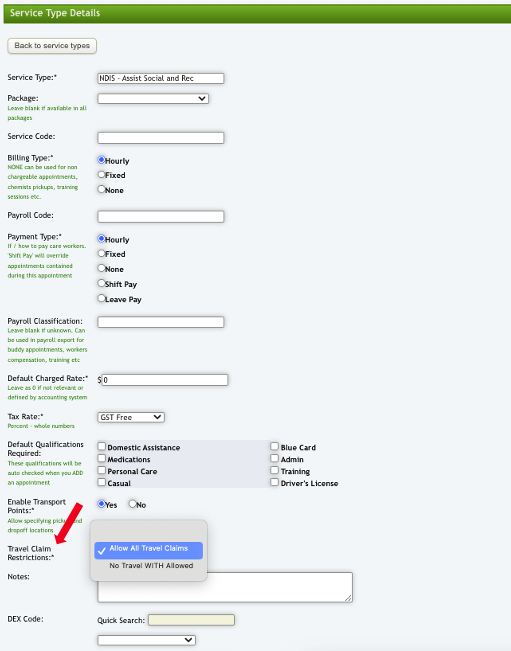
There are certain Service Types that you may not wish to allow staff to claim Travel WITH the client for. This is particularly the case in the NDIS Pricing Arrangements where certain Services do not have associated Activity Based Travel codes.
Eziplan has a field in the Service Type set up called Travel Claim Restrictions.
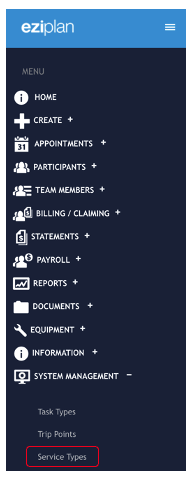
Go to System Management > Service Types and add a new Service or select the Service you wish to alter.
If you set the filed option to No Travel WITH Allowed the option to add KMs to the Mobile Time Sheet will be removed.