

For cancellations that do not meet the chargeable cancellation criteria set out in the NDIS Pricing Arrangements, the process is similar to that of Chargeable Cancellations however these can be actioned from the Weekly Planner.
From the left hand menu panel, click on 'Appointments' and then select 'Weekly Planner' from the options that drop down.
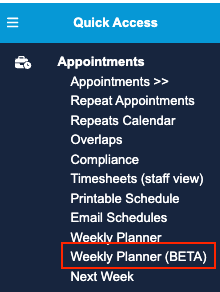
Find the appointment you wish to cancel
for appointments already loaded into the planner, right-click over the appointment and select the 'View appointment' button
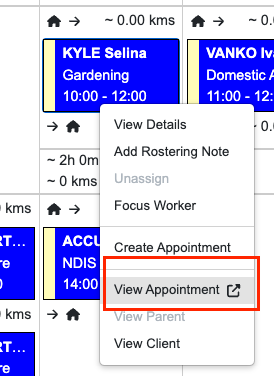
Click on the Cancel Appointment button.

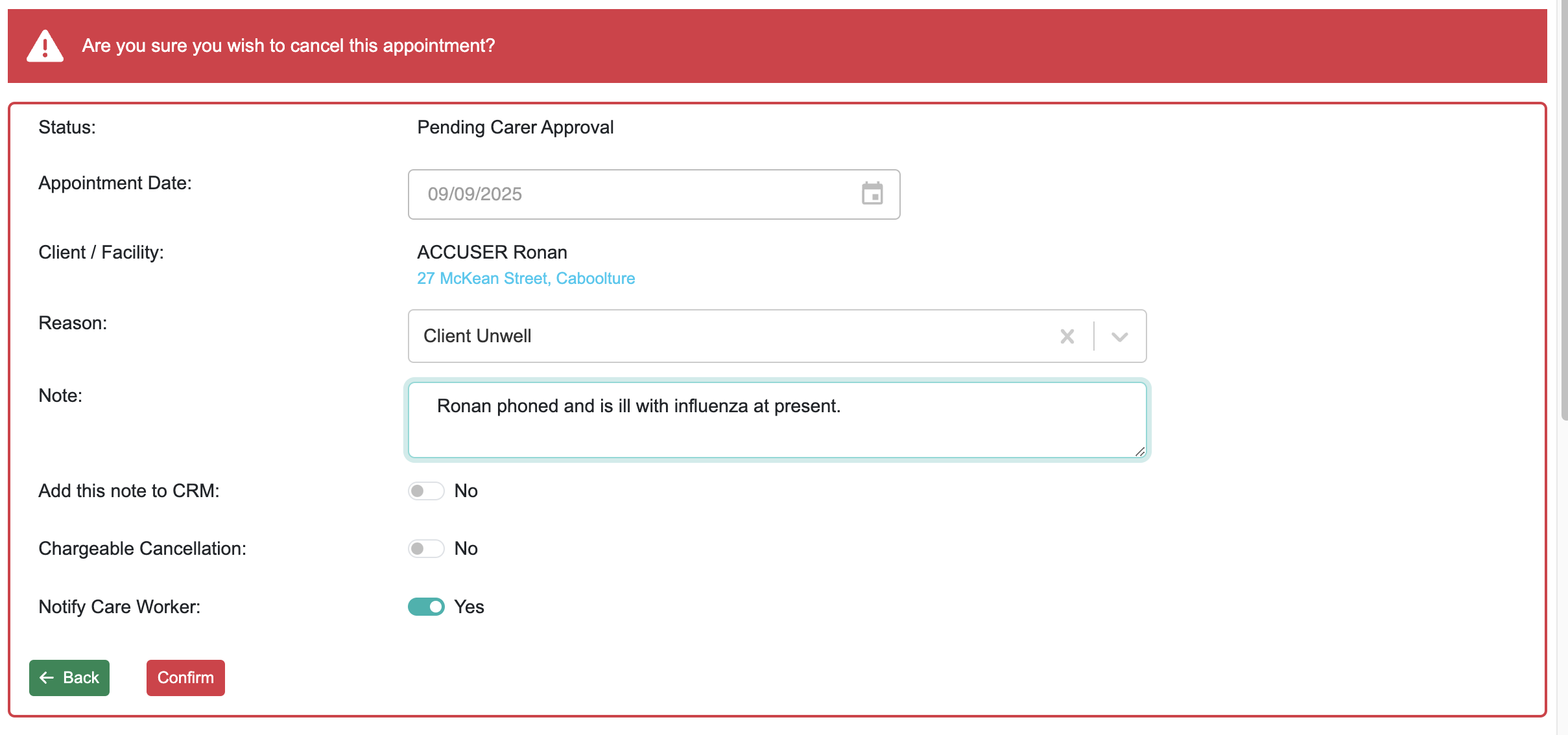
Enter the reason for cancellation (remember this is mandatory for the cancellation to be processed), add a description the note field to add this information to Notes history. Click 'Yes' if you want notification sent to the care worker and then click on 'Confirm' to process.
You will get a notification across the top indicating that the appointment has been cancelled and that the worker has been notified by SMS if you chose 'Yes' to notify.
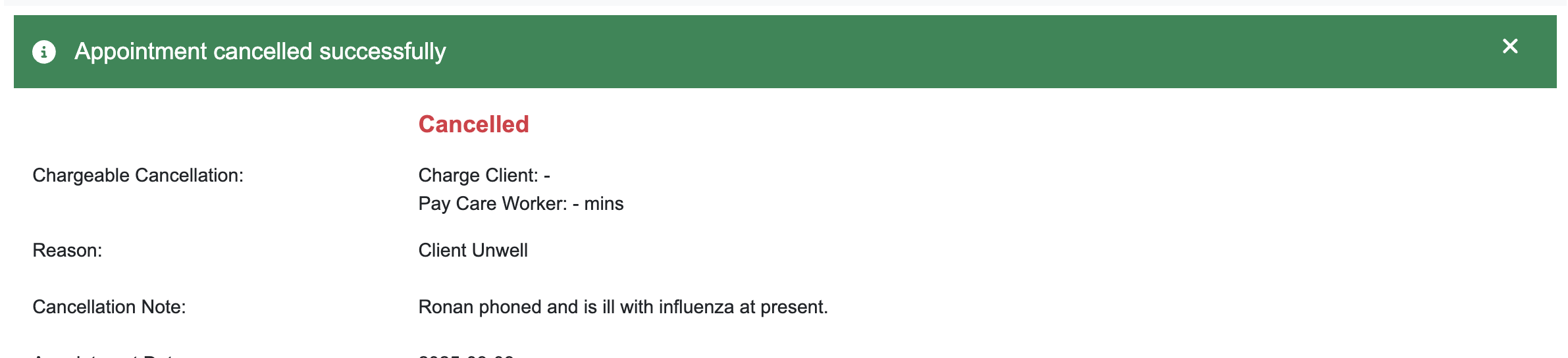
Please Note: If you wish to charge Clients or pay Care Workers use the chargeable cancellation workflow.