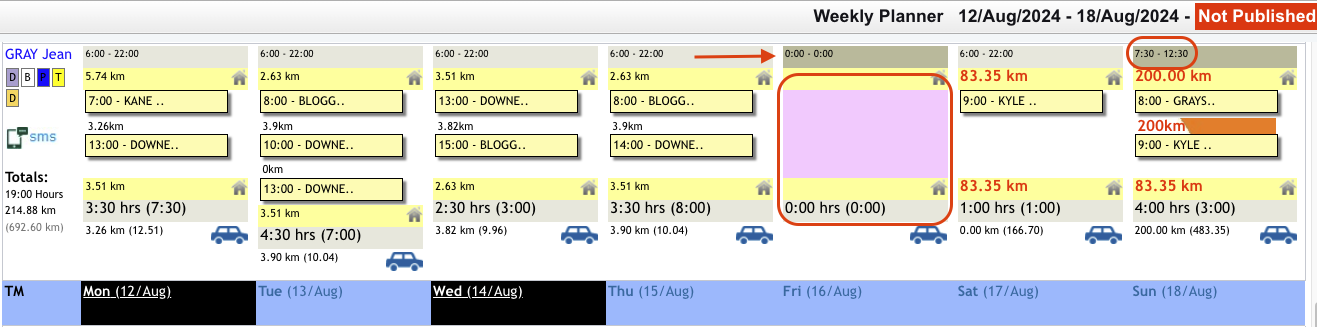
In the situation where your staff have inconsistent availability or one off instance where they are not available to work, this can be entered by Admin or the Care Workers (refer to Indicating Availability from Mobile App).
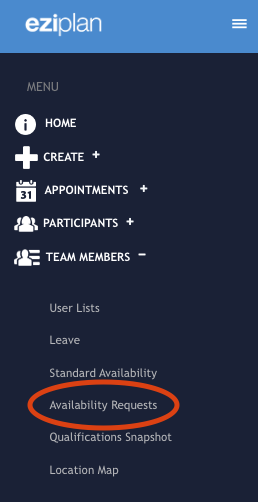
From the left hand menu panel, click on 'Care Workers' (or whichever terminology you are using) and then select 'Availability Requests':
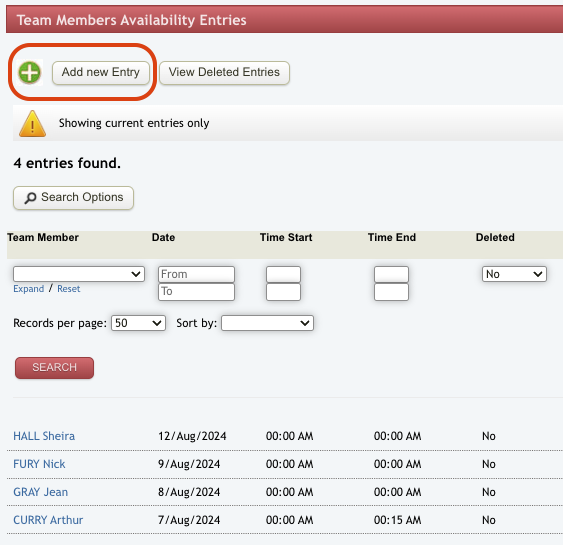
This will open up the availability requests page which will show any existing requests from the care workers. Click on 'Add New Entry' to enter in a new one off availability.
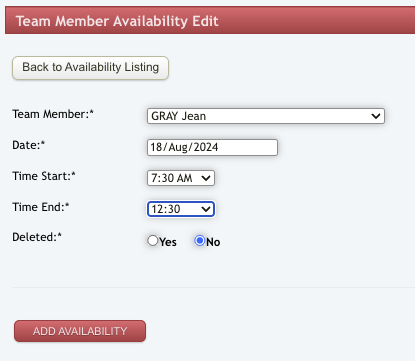
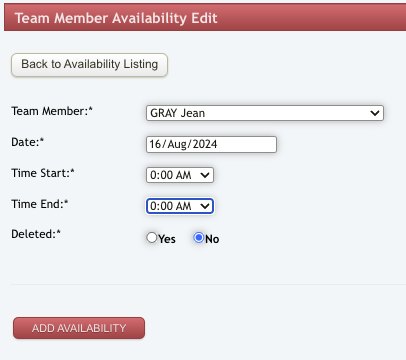
Enter the details of the worker you are adding the availability request for and the date for the request. For the times, you can enter the times available for this specific day only that will be different to their standard availability hours (refer to Standard Availability article for setting this up). When it is a one off day that the worker is unavailable, we recommend logging a leave request for this purpose. If you are not wanting to manage this one off day through the leave process, you can enter 00:00 and 00:00 as the start and end times.
On the weekly planner view, this change in availability will show up in a couple of ways depending on times entered. Where the option has been to enter in for a whole day as unavailable, that day in the planner will be blocked out with colour and the times of availability at the top will show the 00:00-00:00. Where the hours have been adjusted, it will show in the times at the top of that day.